
Async and concurrency
Sequential request processing in LitServe leads to delays and bottlenecks by handling tasks one at a time, especially during peak usage. To address this, LitServe uses asynchronous processing, enabling multiple requests to process simultaneously. This enhancement boosts system performance and throughput, providing faster, more reliable responses even under heavy loads.
Overview
What is Async
Async in Python refers to a programming approach that enables non-blocking, asynchronous execution of code, primarily used for I/O-bound tasks. Introduced with the asyncio library and the async/await syntax, it allows functions to pause at certain points (like waiting for a network response) and let other tasks run in the meantime. This improves efficiency by allowing a single thread to manage many tasks concurrently without needing multiple threads or processes. Async code is structured around coroutines, which are special functions declared with async def and paused with await.
What is asyncio
asyncio is a Python library that provides support for writing asynchronous programs. It enables non-blocking I/O operations, allowing tasks like network requests, file reading, or database queries to run concurrently without blocking the entire program.
With asyncio, tasks are defined as coroutines using async def, and the event loop manages these tasks, running them when appropriate. This makes it ideal for applications that need to handle multiple tasks at once, such as web servers or chat applications, improving performance and responsiveness, especially in I/O-bound operations.
Concurrency vs parallelism
In Python, concurrency and parallelism are related but distinct concepts, especially when using asyncio. Concurrency with async allows a program to handle multiple tasks seemingly at the same time by switching between them—ideal for I/O-bound operations like network calls or file access. It uses a single thread and cooperatively scheduled coroutines.
Parallelism, in contrast, involves actually running tasks at the same time on multiple CPU cores, typically using the multiprocessing module. With async, Python supports concurrency, not parallelism—meaning it won’t speed up CPU-heavy tasks but can make I/O-bound code more responsive and efficient.
Async benefits
Asynchronous support in LitServe is useful when:
- The model calls external APIs or uses async runtimes
- Concurrent request handling is critical
- Streaming token-by-token or chunk-by-chunk output improves latency
Async LitServe API
LitServe supports both synchronous and asynchronous method implementations in the LitAPI class. By default, it runs in synchronous mode. To use async methods, pass LitAPI(..., enable_async=True) when initializing the API. This is useful when the model requires async operations, such as calling external APIs, using async model runtimes, or handling large concurrent loads efficiently.
Note that async doesn't support dynamic batching. In most of the cases, either of them should be suffice. Learn more about types of parallelism and concurrency supported in LitServe here.
Standard API
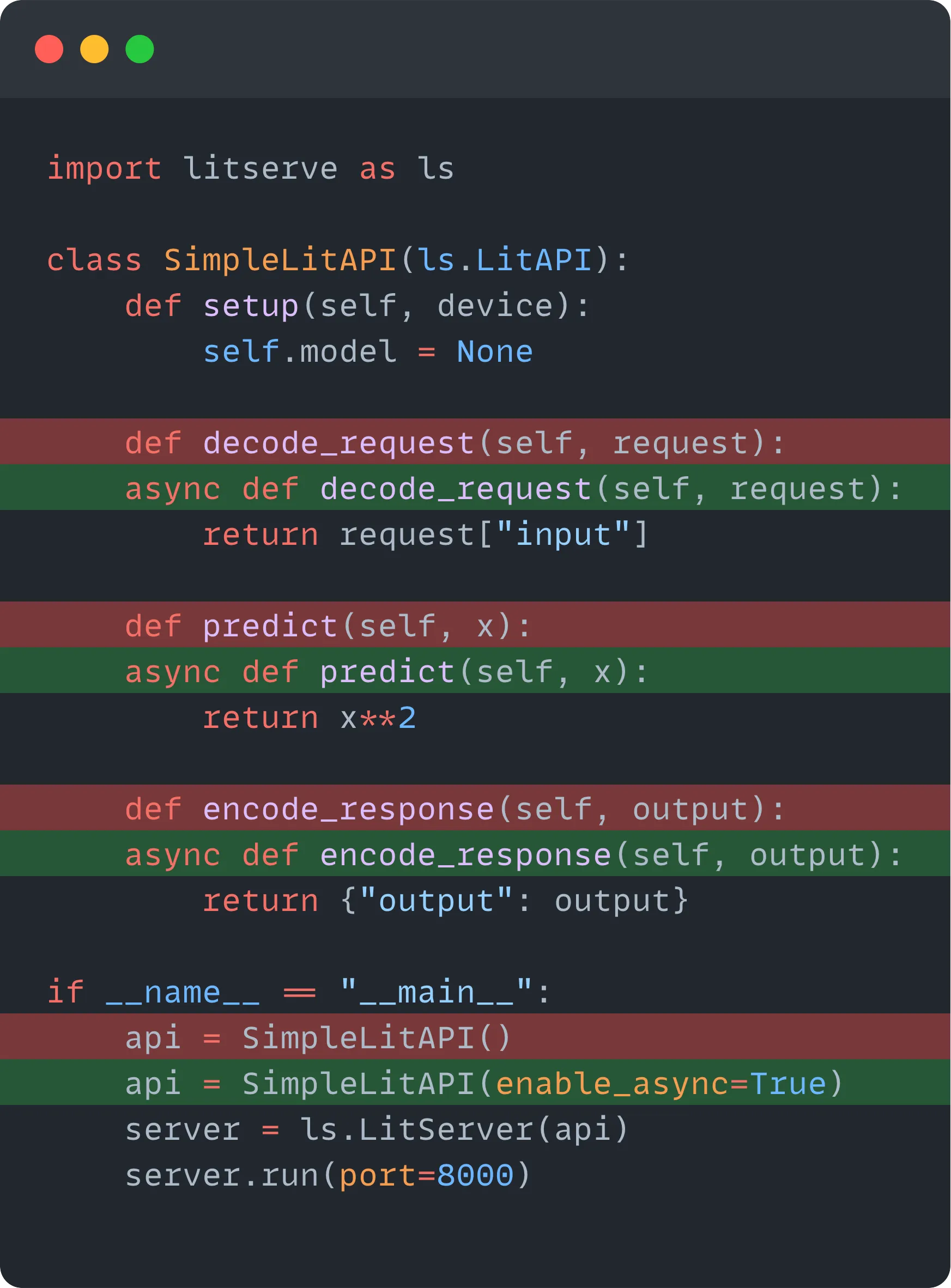
For a standard, non-streaming async API, define decode_request, predict, and encode_response as async methods. Enable async by passing enable_async=True to the LitAPI implementation.
import litserve as ls

class SimpleLitAPI(ls.LitAPI):
    def setup(self, device):
        self.model = None

    async def decode_request(self, request):
        return request["input"]

    async def predict(self, x):
        return x**2

    async def encode_response(self, output):
        return {"output": output}

if __name__ == "__main__":
    server = ls.LitServer(SimpleLitAPI(enable_async=True))
    server.run(port=8000)
Query the server using the following client:
import httpx
import asyncio

async def main():
    async with httpx.AsyncClient() as client:
        response = await client.post("http://localhost:8000", json={"input": 4})
        print(response.json())

asyncio.run(main())
Streaming API
For streaming output, define predict and encode_response as async generators. Set stream=True to enable streaming.
import litserve as ls

class AsyncAPI(ls.LitAPI):
    def setup(self, device):
        self.model = lambda x: x

    async def decode_request(self, request):
        return request["input"]

    async def predict(self, x):
        for i in range(10):
            yield self.model(i)

    async def encode_response(self, output):
        # The for-loop must have async keyword here since output is an AsyncGenerator
        async for out in output:
            yield {"output": out}

if __name__ == "__main__":
    api = AsyncAPI(enable_async=True, stream=True)
    server = ls.LitServer(api)
    server.run(port=8000)
Blocking code in async
When building APIs with LitServe using enable_async=True, LitAPI methods predict, decode_request, and encode_response are expected to be asynchronous. This means they should never include blocking code—otherwise, the entire server will pause, slowing down response times and reducing concurrency.
Blocking code in async
Here’s an example of what not to do in a LitServe API:
- The
time.sleep(3)call blocks the whole event loop. - Other requests will be delayed until this one finishes.
import litserve as ls
import time  # Blocking sleep

class SimpleLitAPI(ls.LitAPI):
    def setup(self, device):
        self.model = None

    async def decode_request(self, request):
        return request["input"]

    async def predict(self, x):
        time.sleep(3)
        return x**2

    async def encode_response(self, output):
        return {"output": output}

if __name__ == "__main__":
    server = ls.LitServer(SimpleLitAPI(enable_async=True))
    server.run(port=8000)
Offload non-async to a thread
To use a blocking function (like a CPU-heavy model or non-async library), offload it using asyncio.to_thread():
import litserve as ls
import time
import asyncio

def blocking_model(x):
    # Fake model call
    time.sleep(3)
    return x**2

class SimpleLitAPI(ls.LitAPI):
    def setup(self, device):
        self.model = None

    async def decode_request(self, request):
        return request["input"]

    async def predict(self, x):
        return await asyncio.to_thread(blocking_model, x)

    async def encode_response(self, output):
        return {"output": output}

if __name__ == "__main__":
    server = ls.LitServer(SimpleLitAPI(enable_async=True))
    server.run(port=8000)
Conclusion
LitServe supports both synchronous and asynchronous workflows. Async mode is useful for high-concurrency applications and when integrating with async libraries or streaming responses. Enabling it is as simple as setting enable_async=True in the API class.
Was this page helpful?
Thanks for the feedback.