
Deploy on cloud
Manual cloud deployment often involves managing servers and writing Dockerfiles, slowing development and increasing overhead. LitServe simplifies this with a single CLI command that automates containerization and deploys to the Lightning AI cloud with autoscaling and serverless support. This streamlines deployment, reduces friction, and lets teams focus on building better models.
Background
Cloud deployment
Cloud deployment involves hosting the applications on remote, scalable servers that provide global accessibility, high availability, and reduced infrastructure overhead. This lets the developers focus on building and improving the machine learning models while the cloud handles resource management.
Serverless
Serverless architectures allow to run your applications without managing servers. With this model, we pay only for the compute time that we use, and the platform automatically scales based on demand, simplifying deployment and maintenance.
Autoscaling
Autoscaling dynamically adjusts resources to meet demand. Whether handling traffic spikes or reducing resources during low usage, autoscaling ensures optimal performance and cost efficiency without manual intervention.
Deploy LitServe to Lightning AI
LitServe can be deployed to the Lightning AI cloud platform from anywhere — whether from a local environment or directly from Lightning Studio.
Run locally
Before deploying to the cloud, it’s a good idea to test the API locally. Here’s a simple API example:
import litserve as ls

if __name__ == "__main__":
    api = ls.test_examples.SimpleLitAPI()
    server = ls.LitServer(api)
    server.run(port=8000)
To run this API locally, use the following command:
# lightning api deploy [SCRIPT]
lightning api deploy server.py

# lightning api deploy [SCRIPT]
lightning api deploy server.py --cloud
Run on cloud
Transitioning from local to cloud deployment is as simple as adding the --cloud flag to our CLI command. Adding the --cloud flag triggers a series of actions that result in an auto-scalable deployment. These actions include:
✅ Generating a Dockerfile
✅ Building the Docker container
✅ Uploading the container to the Lightning AI Cloud platform
✅ Deploying the container as a managed, scalable service
Deploy the API on Lightning AI cloud with:
lightning api deploy server.py --cloudKeep in mind that the command may prompt for inputs, such as confirming Dockerfile correctness or selecting a teamspace. To run in a non-interactive environment, use the --non-interactive flag and specify the --teamspace to associate with the deployed API.
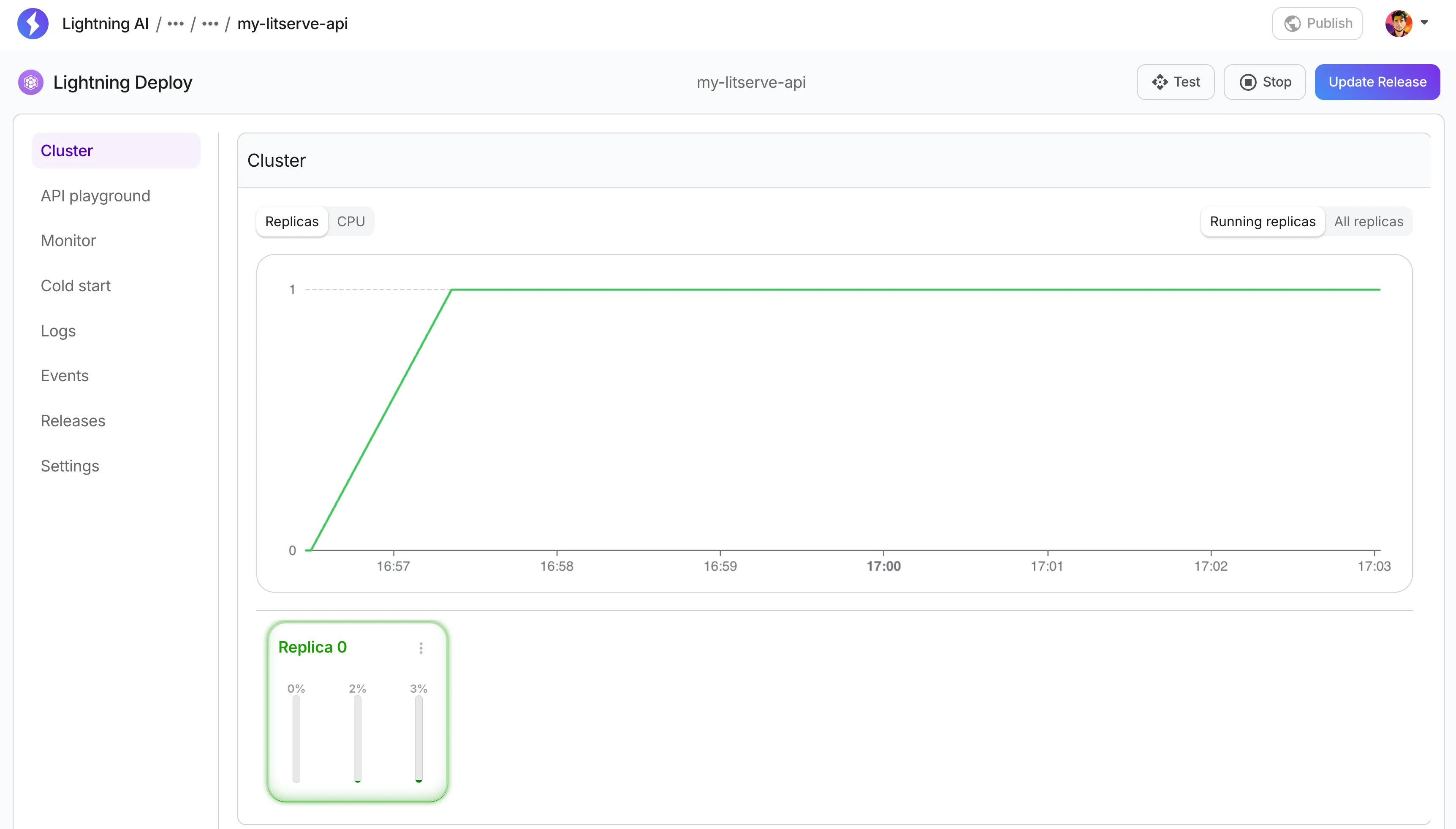
After successfully executing the command, the CLI will print a URL to view the deployment job in the Lightning AI UI.

We can access the deployed API and manage the deployment via the Lightning AI platform.
Develop LitServe on Lightning AI
When building an API server, it's often necessary to test the server during development. Running this on an on-demand cloud GPU machine is both convenient and efficient, especially when working with resource-intensive AI models.
Sync LitServe local to cloud
When building AI APIs, it's common to start development locally and then move everything to a GPU machine for testing or deployment. This often requires manual steps—SSH access, tools like FileZilla, or using rsync over SSH—which can be slow and error-prone.
To simplify this workflow, Lightning AI provides a single command that transfers our server script and all necessary files in our working directory to a cloud Devbox (Studio) for experimentation.
lightning api deploy [SCRIPT] --devbox [MACHINE_NAME]

lightning api deploy server.py --devbox T4

lightning api deploy server.py --devbox T4
This command automatically handles file transfer and sets up your API in a remote GPU Devbox—no manual syncing required.
Advanced
Python dependencies
Machine learning applications depend on multiple Python packages, and locking package versions ensures consistent behavior. If a requirements.txt file is in the working directory when running the lightning api deploy command, LitServe automatically installs the listed dependencies inside the Docker container.
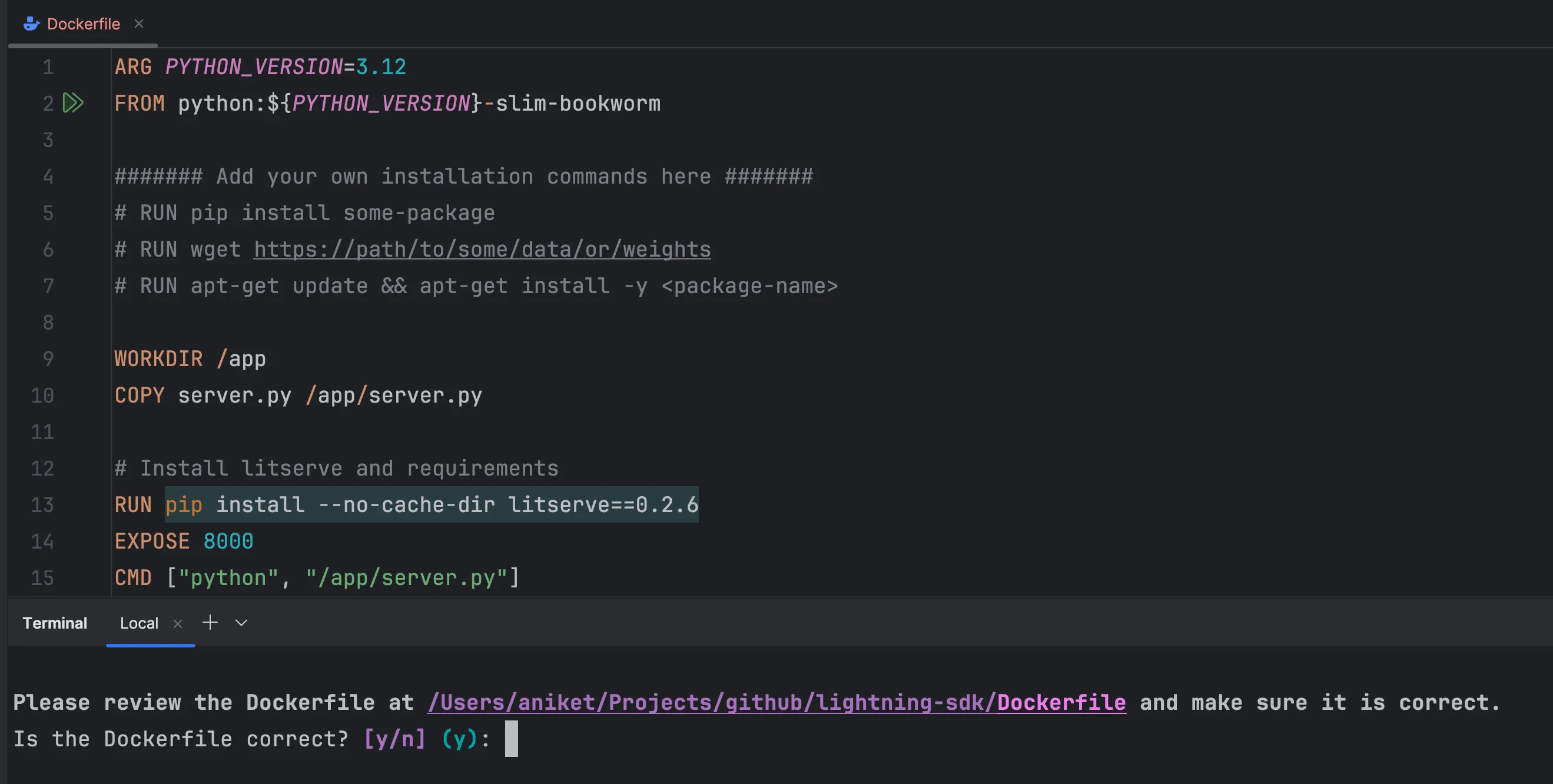
Before building the container, the CLI prompts for Dockerfile confirmation. This provides an opportunity to review and verify the dependencies before installation.
Custom Dockerfile
LitServe supports building and deploying a container from a custom Dockerfile. Place the Dockerfile in the same directory as the server script, and LitServe will use it instead of generating a new one.
Updates made to the Dockerfile are preserved — rerunning the lightning api deploy command won’t overwrite any modifications. Make adjustments as needed:
- Change the base image
- Install system packages with
apt - Copy specific directories or files into the container
This keeps the deployment flexible while giving full control over the environment.
Manage deployed API
After deployment, manage the server using the Lightning SDK:
# Import the Deployment class
from lightning_sdk import Deployment

deployment = Deployment("my-lit-api", "my-teamspace")

deployment.update(min_replicas=4, max_replicas=10)
Conclusion
Deploying on Lightning AI Cloud with LitServe offers a streamlined and scalable solution for machine learning applications. By automating containerization and leveraging Lightning’s cloud-native features, developers can concentrate on model development while enjoying robust, cloud-managed deployment and efficient resource scaling.
Was this page helpful?
Thanks for the feedback.