
GPU inference
Use LitServe to serve models on GPUs for faster inference. GPUs can dramatically accelerate the inference speed due to the massive parallelization of operations.

Background
What is a GPU?
A GPU (Graphics Processing Unit) is a chip designed for highly parallel computations.
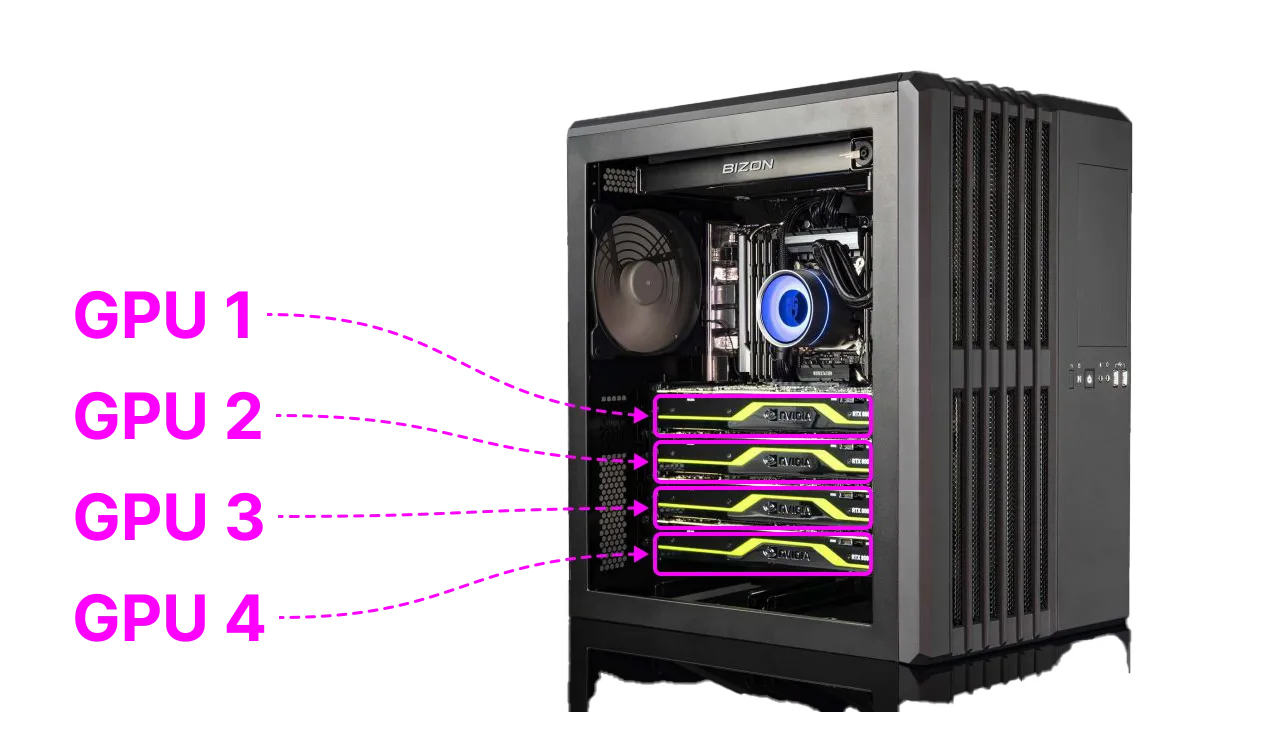
To learn more about GPUs, read this guide.
What is GPU inference?
GPUs are highly efficient at parallel processing, making them ideal for handling the computational demands of deep learning models, which involve numerous simultaneous operations. Frameworks like PyTorch, JAX and TensorFlow are specialized to utilize GPUs to accelerate their computations.

Application of GPU inference
GPU inference is essential for applications that require high-performance processing and low latency, such as real-time image recognition, chatbots, natural language processing, and in general AI applications that require interactivity.

Enable GPU inference
LitServe automatically detects GPUs on a machine and uses them when available. In the following section, we will see the different ways to configure GPUs for LitServe.

Run on GPUs
To have LitServe run models on a GPU, set the accelerator argument to "gpu", or simply rely on the auto-detection capabilities of LitServe and leave accelerator to "auto":
import litserve as ls

if __name__ == "__main__":
    api = ls.test_examples.SimpleLitAPI()

    # When running on GPU machines, these are equivalent
    # server = ls.LitServer(api)
    # server = ls.LitServer(api, accelerator="auto")
    server = ls.LitServer(api, accelerator="gpu")

    server.run(port=8000)
To run a model on multiple GPUs on a machine, specify the number of GPUs with the devices argument. By default, LitServe will run on all available GPUs.
The following example runs a copy of the model on each of the 4 GPUs on a single machine:
import litserve as ls

if __name__ == "__main__":
    api = ls.test_examples.SimpleLitAPI()

    # When running on machine with 4 GPUs, these are equivalent
    # server = ls.LitServer(api, accelerator="auto", devices="auto")
    server = ls.LitServer(api, accelerator="gpu", devices=4)

    server.run(port=8000)
To run on a specific GPU, specify the GPU IDs (GPU number). The following example runs LitServe on two GPUs (GPU:0 and GPU:3) on a machine with 4 GPUs:
import litserve as ls

if __name__ == "__main__":
    api = ls.test_examples.SimpleLitAPI()

    # Only run on GPU:0 and GPU:3
    server = ls.LitServer(api, accelerator="gpu", devices=[0, 3])

    server.run(port=8000)
Run on Apple's MPS
To use an Apple Metal GPU powered device, set accelerator to "mps":
import litserve as ls

if __name__ == "__main__":
    api = ls.test_examples.SimpleLitAPI()
    # When running on MPS machine, these are equivalent
    # server = ls.LitServer(api)
    # server = ls.LitServer(api, accelerator="auto")
    server = ls.LitServer(api, accelerator="mps")
    server.run(port=8000)
Run on CPU
To run the model on CPU, set accelerator to "cpu" :
import litserve as ls

if __name__ == "__main__":
    api = ls.test_examples.SimpleLitAPI()
    # When running on a CPU machine, these are equivalent
    # server = ls.LitServer(api)
    # server = ls.LitServer(api, accelerator="auto")
    server = ls.LitServer(api, accelerator="cpu")
    server.run(port=8000)
Examples
Text classification API
Here is an example of serving a text classification model on a GPU machine:
from transformers import pipeline
import litserve as ls

class TextClassificationAPI(ls.LitAPI):
    def setup(self, device):
        self.model = pipeline("sentiment-analysis", model="stevhliu/my_awesome_model", device=device)

    def decode_request(self, request):
        return request["text"]

    def predict(self, x):
        return self.model(x)

    def encode_response(self, output):
        return output[0]

if __name__ == "__main__":
    api = TextClassificationAPI()
    server = ls.LitServer(api, accelerator="gpu")
    server.run(port=8000)
Make a request to this server to predict the sentiment of the text as follows:
import requests

response = requests.post("http://127.0.0.1:8000/predict", json={"text": "I love this restaurant!"})
print(response.json())
The server returns the following:
{'label': 'LABEL_1', 'score': 0.9993187189102173}Was this page helpful?
Thanks for the feedback.