
Base Studios
Base Studios provide a way to standardize and customize the environment for launching Studios within an organization.
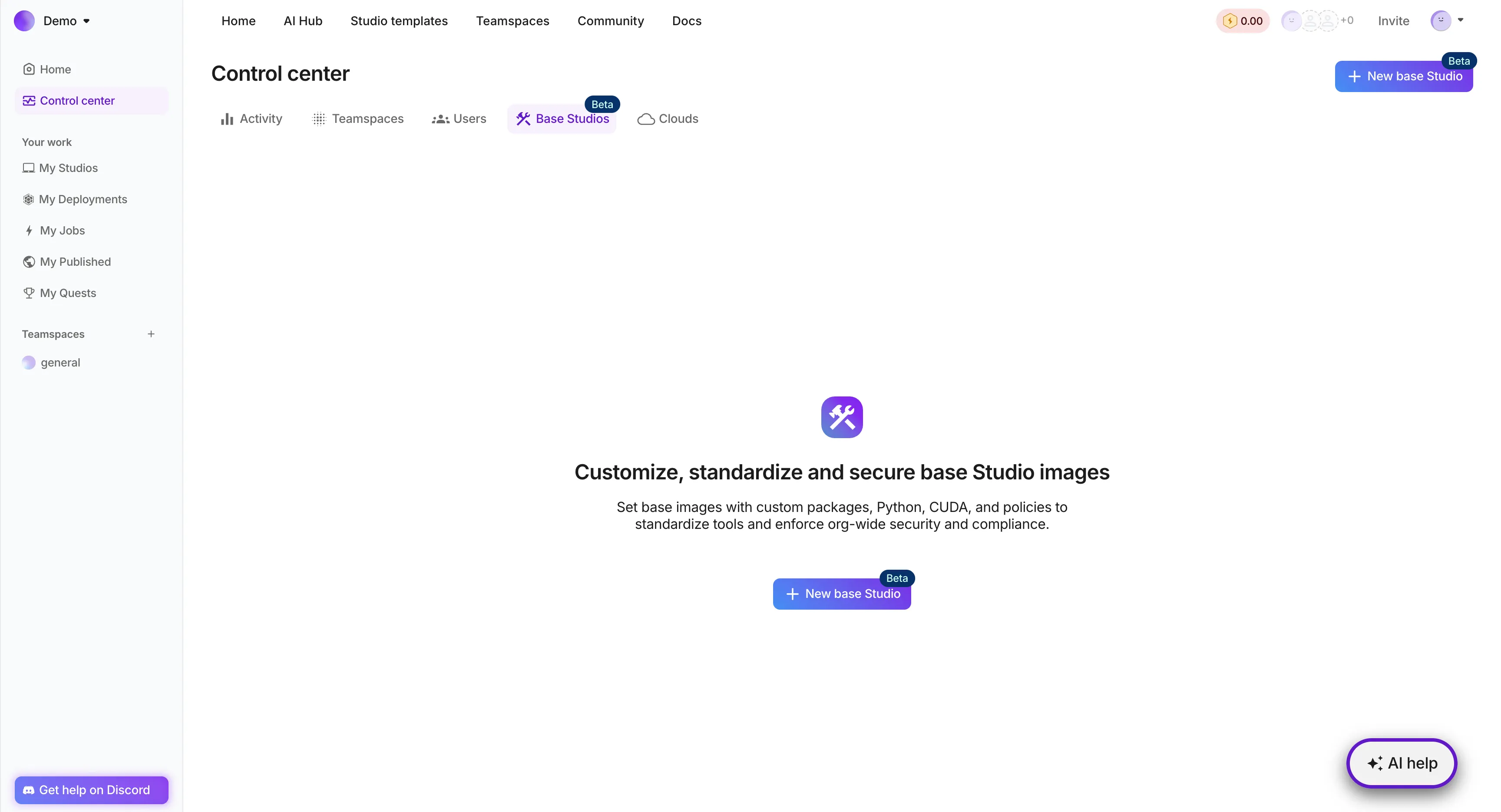
Base Studios provide a standardized, customizable, and secure template for launching studios, enabling users to quickly deploy consistent and compliant environments. By leveraging Base Studios, organizations can streamline studio setup, reduce administrative burden, and improve overall efficiency, allowing users to focus on high-value work and drive business results.
Access Control
Only administrators of an organization have the ability to create, update, and delete Base Studios. However, all users within an organization can launch studios from a Base Studio.
Create base studios
By creating a Base Studio, administrators can establish a standardized and secure template for launching studios, ensuring consistency and compliance across the organization. This enables users to quickly deploy pre-configured environments, saving time and reducing errors, while also allowing administrators to maintain control and governance over studio configurations.
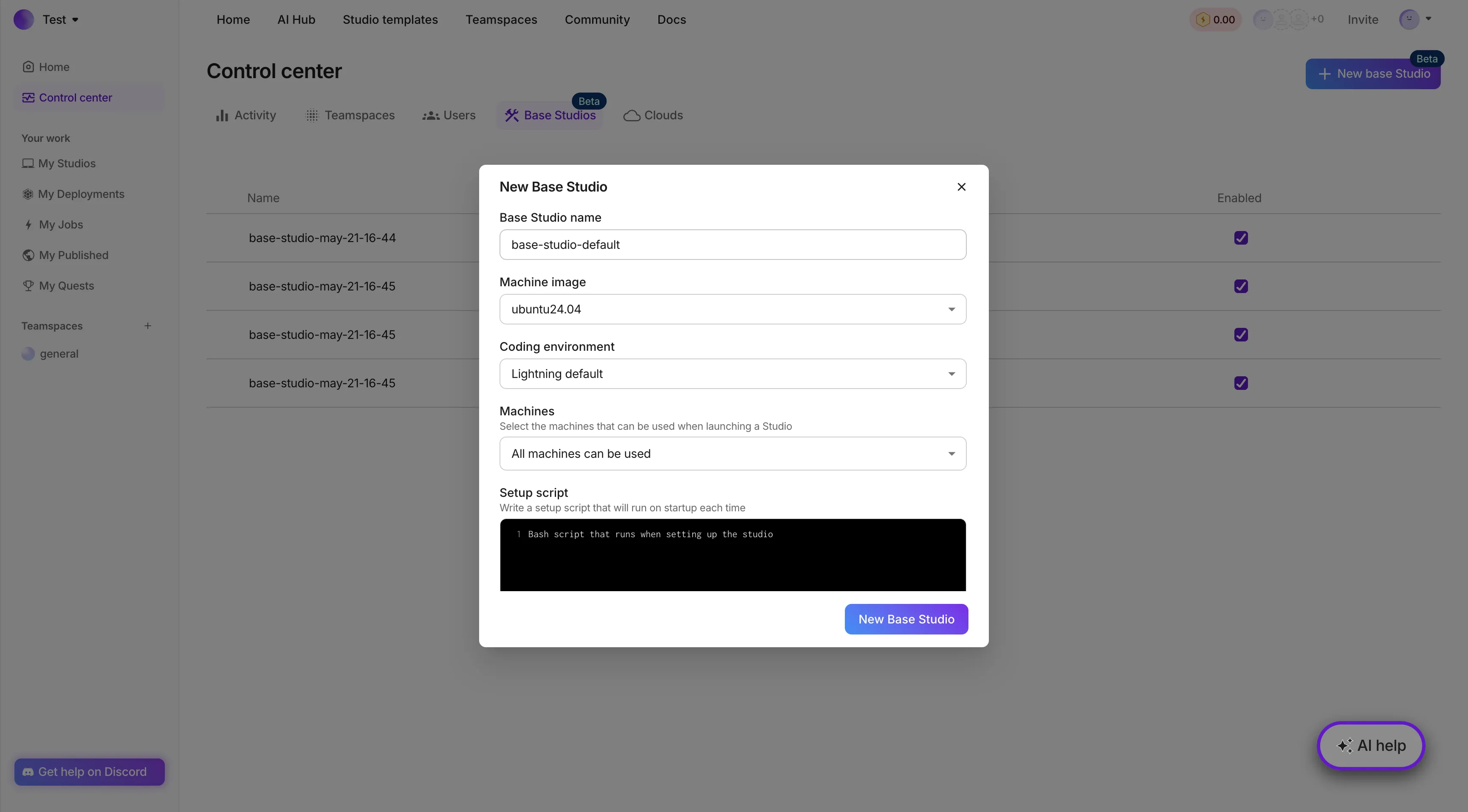
- Log in to the administration interface
- Navigate to the Base Studios section under the Control Center or the dropdown for your org.
- Click on the "New Base Studio" button to open the form.
- Fill in the configuration, including Base Studio name, machine image, coding environment, machines, and custom setup script.
- Create it by clicking the "New Base Studio" button in the form.
The following options can be set when creating or updating a Base Studio:
Base Studio Name
| Field | Description | Details |
|---|---|---|
| Base Studio Name | The name of the Base Studio | Unique and descriptive name |
| Machine Image | The operating system image used for the Studio | Select from available Ubuntu versions |
| Coding Environment | The coding environment used for the Studio | Lightning AI default: A pre-configured environment with common tools and libraries Fresh environment: A clean environment with no pre-installed tools or libraries |
| Machines | The hardware used for the Studio | Choose from available hardware options that the Studio can be run on and select the default hardware that will be selected for the Studio |
| Custom Setup Script | A script that runs at the start of launching a Studio | A valid script that can be executed on the Studio |
| Plugins | Plugins that are pre-installed when launching a Studio | Choose from a range of plugins that are ready to use in the Studio |
Note: If you are an Enterprise customer and have a specific configuration you would like to see added, contact us to discuss it!
Use a base studio
By using a Base Studio, users can quickly launch a pre-configured and secure environment, saving time and reducing errors, and focus on high-value work. Using a Base Studio also enables users to leverage a standardized and compliant setup, ensuring consistency and reliability across projects and workflows.
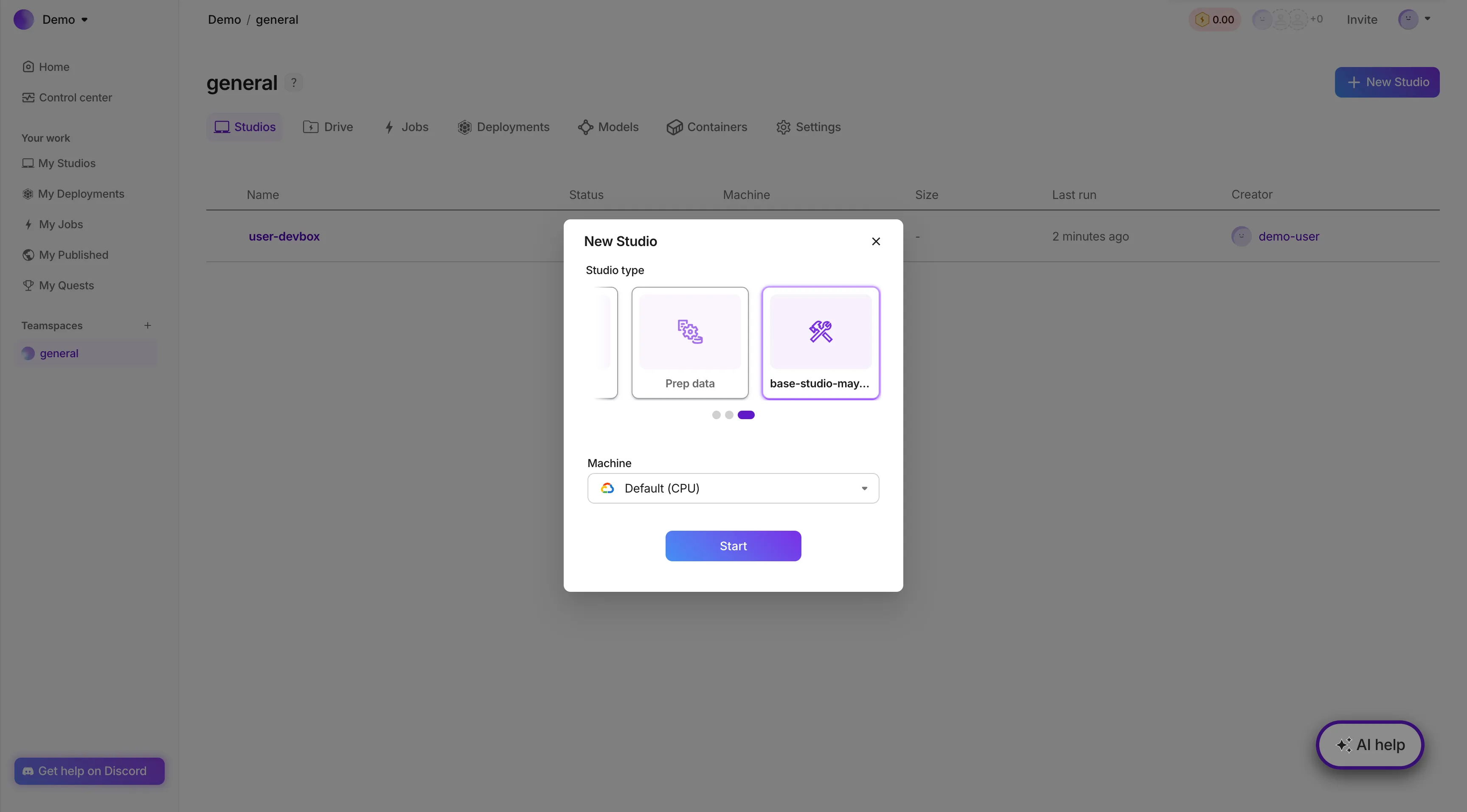
To launch a studio from a Base Studio:
- Log in to Lightning AI
- Click on the "New Studio" button to launch a Studio as normal
- All users will now see a scrollable list of cards for each Base Studio configured
- Select the Base Studio to use for the Studio.
- Set any additional settings as needed
- Hit "Start"
Manage base studios
Update base studios
Updating a Base Studio allows administrators to reflect changes in organizational policies, tools, or configurations, ensuring that all studios launched from the Base Studio remain up-to-date and compliant. By keeping Base Studios current, organizations can maintain a consistent and secure environment, reducing the risk of errors or security breaches.
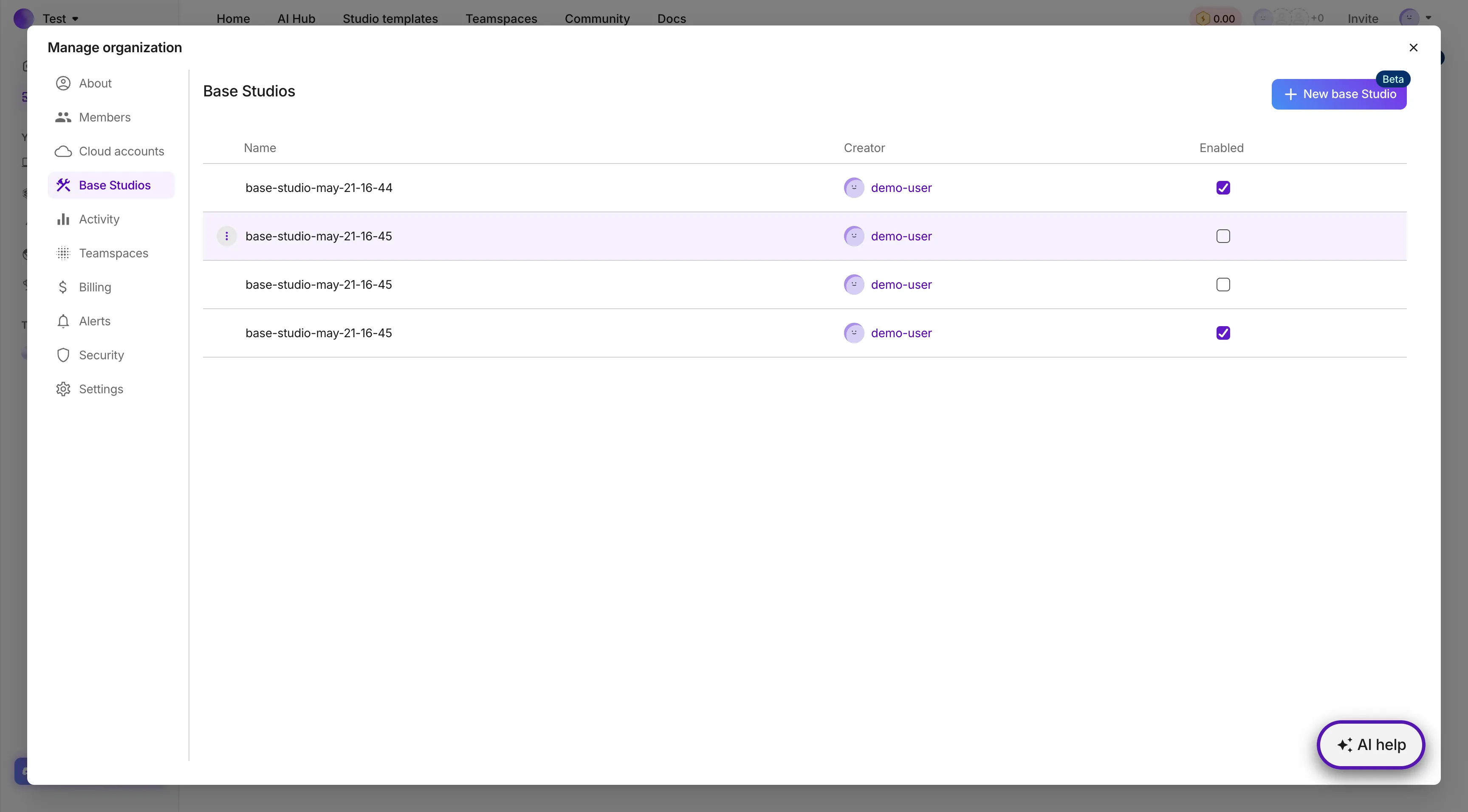
- Navigate to the Base Studios section.
- You will be able to see all created Base Studios in the table
- Find the Base Studio to be updated and hover on the row.
- Click on the menu button that appears on the left
- Click the Edit button
- Make the necessary changes to the Base Studio configuration.
- Click "Update Base Studio" to save the changes.
Delete base studios
Deleting a Base Studio allows administrators to remove outdated or unused templates, streamlining the Base Studio catalog and reducing clutter. By deleting unnecessary Base Studios, organizations can improve governance and reduce the risk of users launching studios from outdated or insecure templates.
- Navigate to the Base Studios section.
- You will be able to see all created Base Studios in the table
- Find the Base Studio to be updated and hover on the row.
- Click on the menu button that appears on the left
- Click the Delete button
- A warning will pop up to confirm deletion. Fill out the requirements
- Click "Delete" to delete the Base Studio.
Disable visibility
Changing the visibility of a Base Studio enables administrators to control who can access and use a particular template, ensuring that sensitive or restricted environments are only available to authorized users. By managing Base Studio visibility, organizations can maintain control and governance over studio configurations, reducing the risk of unauthorized access or misuse.
Instead of deleting a Base Studio permanently, you can also change if users in your Org will be able to use the Base Studio
- Navigate to the Base Studios section.
- You will be able to see all created Base Studios in the table
- For each Base Studio, mark the checkbox with whether or not it is enabled
Benefits
Increase productivity
- Faster Studio Setup: Base Studios provide a pre-configured environment, eliminating the need for manual setup and reducing the time it takes to launch a studio.
- Consistency: Base Studios ensure consistency across all studios, reducing the risk of errors and inconsistencies.
- Streamlined Workflow: Base Studios enable users to quickly launch studios and start working, streamlining their workflow and increasing productivity.
Ensure compliance
- Standardized Security: Base Studios can be configured with standardized security settings, ensuring that all Studios meet organizational security requirements.
- Compliance: Base Studios can be designed to meet specific compliance requirements, reducing the risk of non-compliance
- Reduced Risk: Base Studios reduce the risk of security breaches and data loss by providing a consistent and controlled environment
Customize with flexibility
- Customizable Environment: Base Studios can be customized to meet specific user needs, providing a tailored environment for different tasks and projects.
- Flexible Configuration: Base Studios can be configured to use different machine images, coding environments, and hardware, providing flexibility and adaptability.
- Easy Updates: Base Studios can be easily updated and modified, ensuring that users have access to the latest tools and technologies.
Save Costs
- Reduced Administrative Burden: Base Studios reduce the administrative burden of setting up and managing studios, saving time and resources.
- Lower Costs: Base Studios can help reduce costs by minimizing the need for manual setup and configuration, and by optimizing resource utilization
- Increased Resource Utilization: Base Studios can help optimize resource utilization, reducing waste and improving overall efficiency.
Improve user experience
- Simplified Onboarding: Base Studios provide a simple and streamlined onboarding process, making it easier for new users to get started.
- Consistent Experience: Base Studios ensure a consistent user experience across all studios, reducing frustration and improving overall satisfaction.
- Increased User Productivity: Base Studios enable users to focus on their work, rather than spending time setting up and configuring their environment.
Availability by plan
| Plan | Access | Custom configuration |
|---|---|---|
| Free | Not available | - |
| Pro | 1 | ❌ Basic configuration |
| Teams | 1 | ❌ Basic configuration |
| Enterprise | Unlimited | ✅ Fully customizable |
Note: Pro and Teams plans are limited to a default Base Studio setup, while Enterprise users can create Base Studios with custom configurations. Please get in touch if you are interested in any other feature additions or Enterprise access.
Was this page helpful?
Thanks for the feedback.