
Model development
Organize all model development tasks, from data cleaning to demos, in one teamspace. This centralized approach streamlines the process, making it more efficient.
Set up a model
Learn how to organize the work required to create a model using Studios.
Create the model teamspace
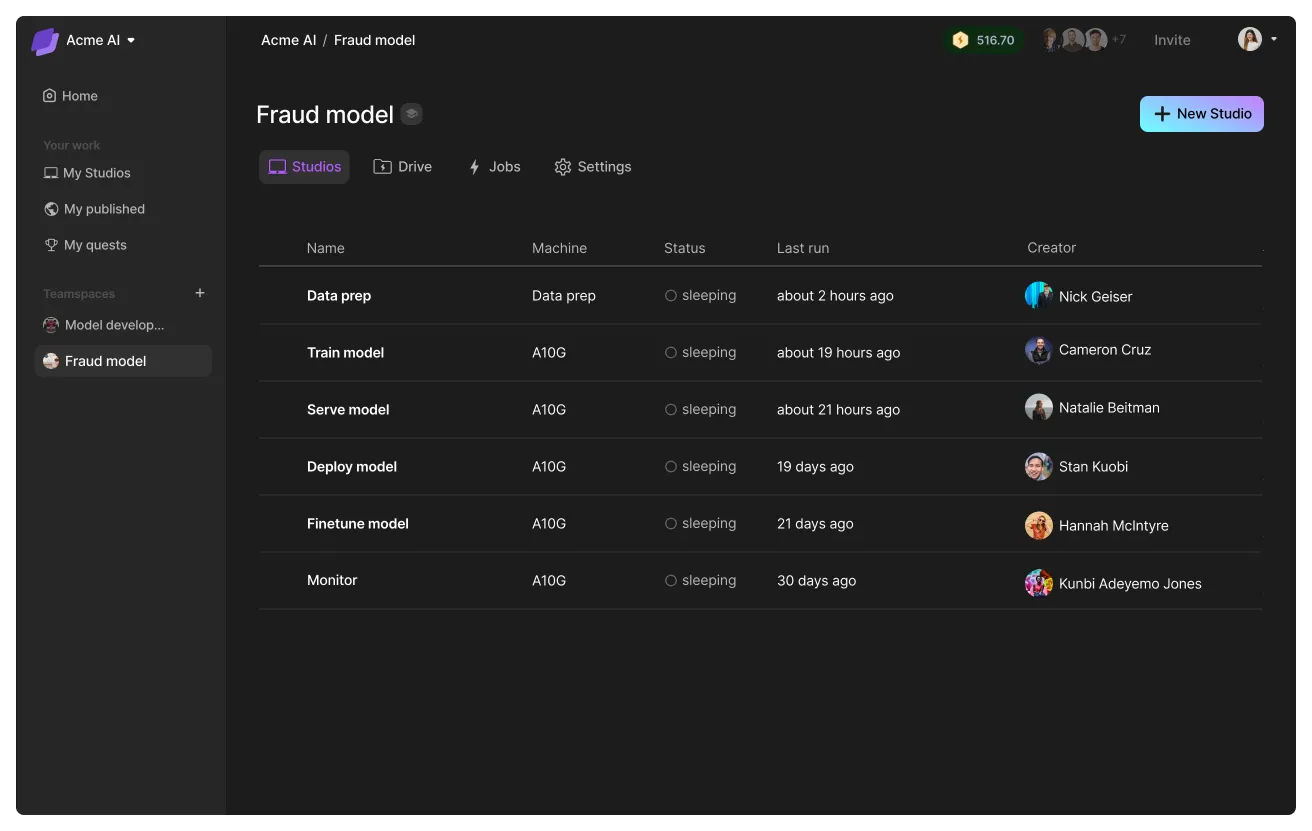
Create a teamspace and name it after the model. Here we name it "Fraud model." In this teamspace, we will organize each task required to get the model into production, from data prep, to finetuning to deployment and everything in between.
Add teamspace admins
Add the team leads responsible for delivering the end model as admins in the teamspace. These members can request more credits, manage other members, add cloud accounts and more.
Add admins to your teamspace.
View all admin permissions here.
Add teamspace members
Invite the rest of the team as members to the teamspace. Teamspace members can start/delete studios and more.
Add teamspace members.
View all member permissions here.
Add guests (optional)
Invite external collaborators (contractors, other enterprise partners) to the teamspace as a guest. Guests have the same rights as members in a teamspace but do not have access to the organization.
Invite guests to your teamspace.
Connect data sources
Connect the right data sources to the teamspace. This data is only available to the members of the teamspace and provides data governance and access controls.
Add data to your teamspace to use across Studios.
Lightning AI offers various methods such as direct uploads, connect an S3 bucket, import from snowflake, and more. Lightning AI can also enable custom connectors for enterprise customers.
One studio per task
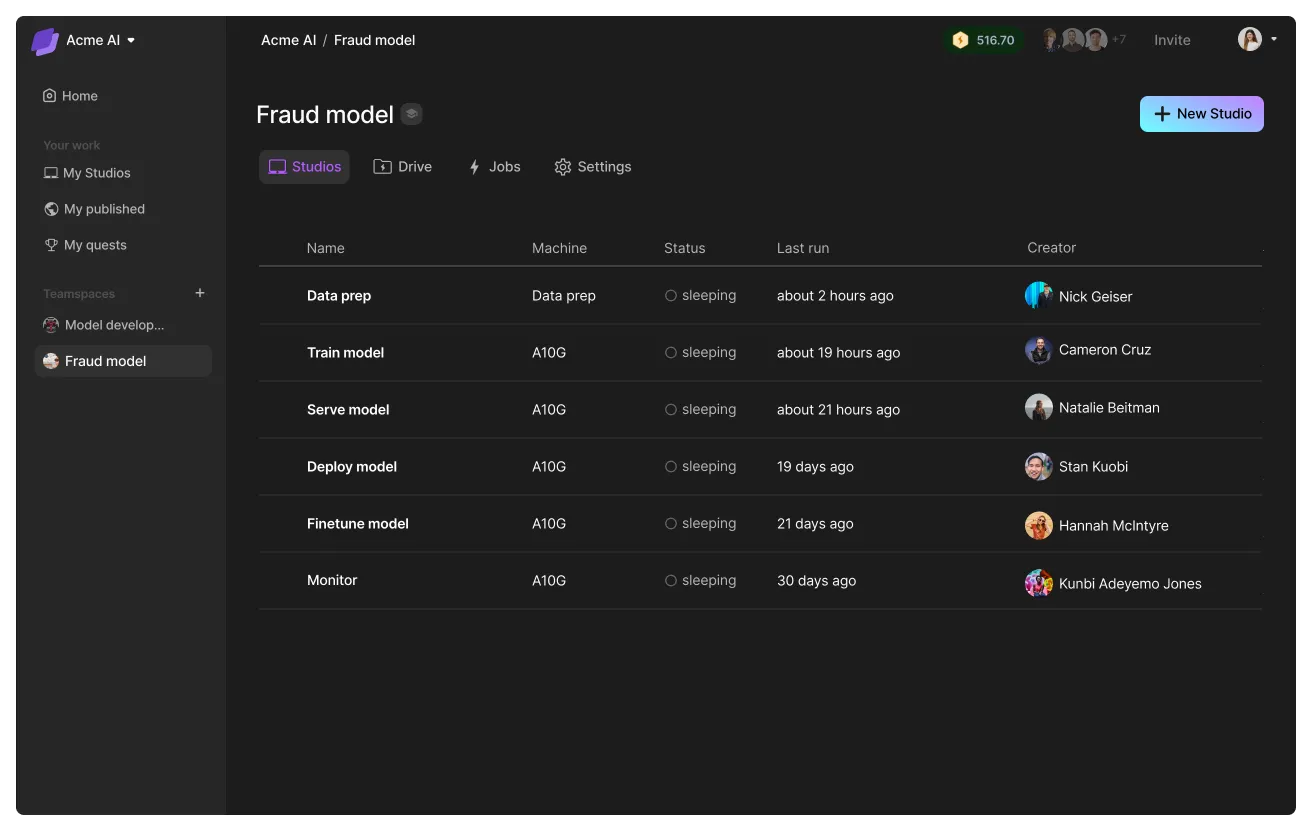
Getting a model into production has different parts to it. These are always unique to the model, goal and organizational context. For example: data pipelines, data cleaning, embedding, training, finetuning, serving, monitoring, and more. Design each studio to be self-contained and limited to one task.
Here is an example of a teamspace designed for the fraud model.
Automate with the SDK
Leverage the Lightning SDK to manage the sequence and operations of each Studio in the pipeline.
pip install lightning-sdkHere's an example pipeline that prepares data, trains a model and deploys the model. Each Studio is completely isolated from each other and self-contained. This drastically simplifies pipeline building with Studios.
# login to the platform
# export LIGHTNING_USER_ID=000000-000000-000000-00000-000000000
# export LIGHTNING_API_KEY=111111-111111-111111-11111-111111111

from lightning_sdk import Machine, Studio

data_prep_studio = Studio("data_preparation")
data_prep_studio.start(Machine.DATA_PREP)

data_prep_studio.run("python prepare_data.py")
data_prep_studio.stop()

train_studio = Studio("training")
train_studio.start(Machine.V100_X_4)
train_studio.run("python train.py --data_path /teamspace/studios/data_preparation/preprocessed_data")
train_studio.stop()

deploy_studio = Studio("deploy")
deploy_studio.start(Machine.T4)
deploy_studio.run("python deploy_server.py --checkpoint /teamspace/studios/training/checkpoints/last.ckpt") # leave it running to serve requests
Advantages
Organizing model development efforts with Lightning AI offers many advantages.
Unlock cross-functional work
One of the things that makes model development challenging at the organization level is that it requires so many experts working together: data engineers, ML engineers, researchers, infrastructure people, etc.
The teamspace allows each one of these members to do their best work and write self-contained Studios, that can then be operationalized as ML pipeline modules.

Read more about ML pipelines here.
Group all model tasks
Use the teamspace to group all the work that goes into developing a model. This allows easy tracking, cost management, cross-functional collaboration and any kind of audits required at the end of the model development process.
Share model weights
All Studios within a teamspace can access the same underlying file system. This removes the need to use external hubs to share model weights across the organization. To get the same experience, download the weights to a Studio and publish the Studio to the internal Studio library.
Studios actually allow model publishers to go one step farther by publishing scripts to train and deploy those models on the Studio as well.
Duplicate a studio and automatically get all the weights, files, and scripts that come with that studio.
Was this page helpful?
Thanks for the feedback.