
Autoscaling
A Lightning AI deployment can automatically scale to zero when idle (serverless), eliminating costs for unused resources. When demand spikes, it scales to manage increased traffic, ensuring high performance without manual adjustments.
Scale to zero (serverless)
Set minimum replicas to zero to enable scaling to zero, stopping all idle machines, which incurs no costs.
Create a new serverless deployment with number of replicas between 0 and 1
By default, a machine auto-scales to zero if it doesn't receive any requests within 5 minutes. Feel free to modify this setting under the "advanced" section of the deployment configuration.
A serverless deployment scaling down to zero after 5 minutes without any requests
You can change the default scale-down cooldown from 5 min to anything else.
A serverless deployment scaling down to zero after 30 seconds without any requests
Scale up
Set maximum replicas to be greater than 1 to automatically scale up during traffic surges.
By default, a deployment adds a new replica when CPU usage exceeds 95% for over 60 seconds.
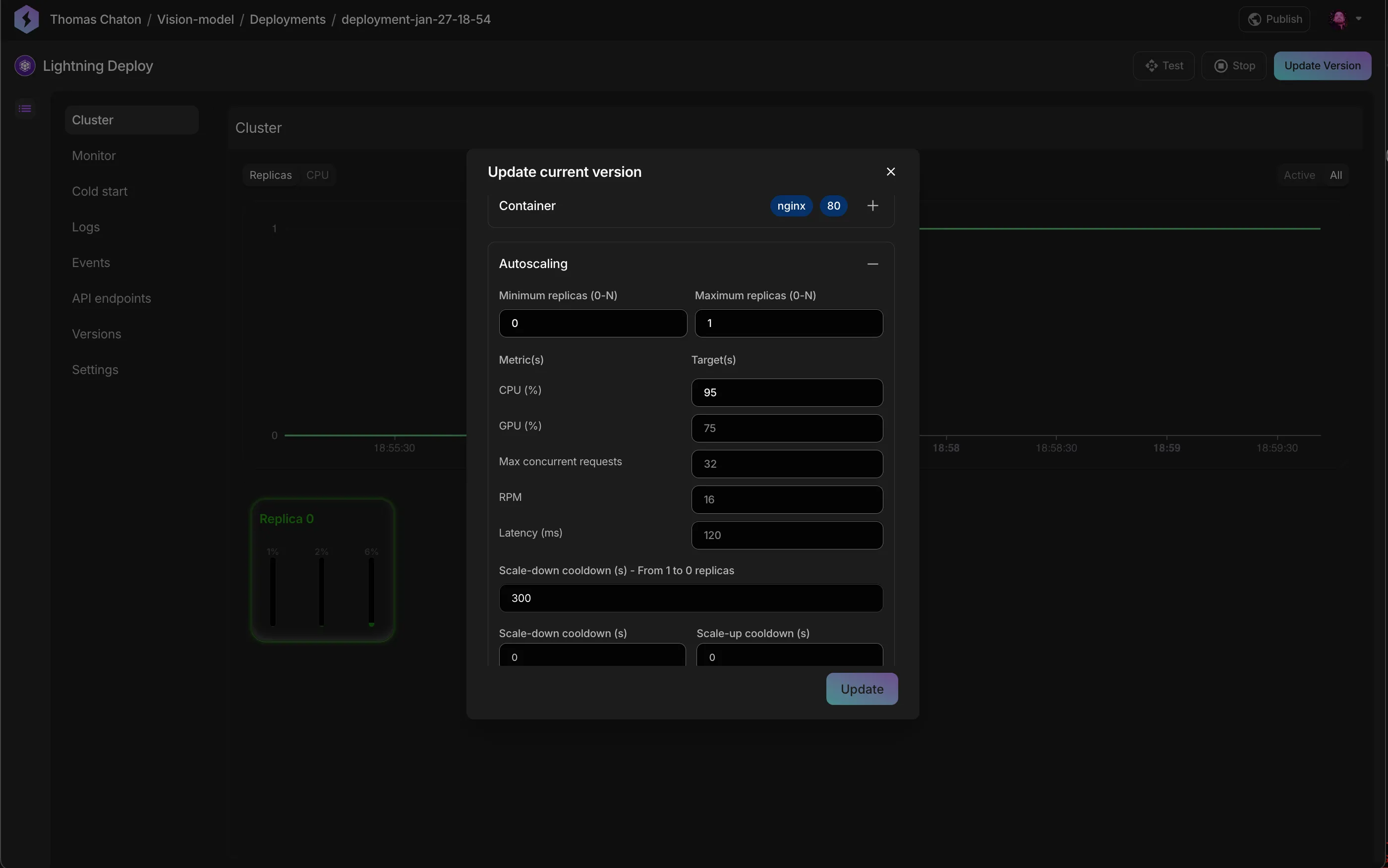
Lightning AI deployments supports 5 different autoscaling metrics:
| Name | Definition | Autoscale from 0->N |
|---|---|---|
| CPU Utilization (%) | The CPU usage over the last minute. | No |
| GPU Utilization (%) | The GPU usage over the last minute. | No |
| Max concurrent requests | The maximum number of in-flight requests at any given time over the last minute. | Yes |
| Number of requests per minute (RPM) | The total number of completed requests over the last minute. | No |
| Latency (ms) | The average latency over the last minute. | No |
Max concurrent requests is the only autoscaling metric that allows scaling directly from 0 to N, bypassing the intermediate step of scaling from 0 to 1 to N.
Set max concurrent requests to allow scaling directly from 0 to N.
Cold starts
A cold start refers to the time it takes for a deployment to get a new instance ready to receive traffic. Use the cold start explorer to identify and address bottlenecks during this process.
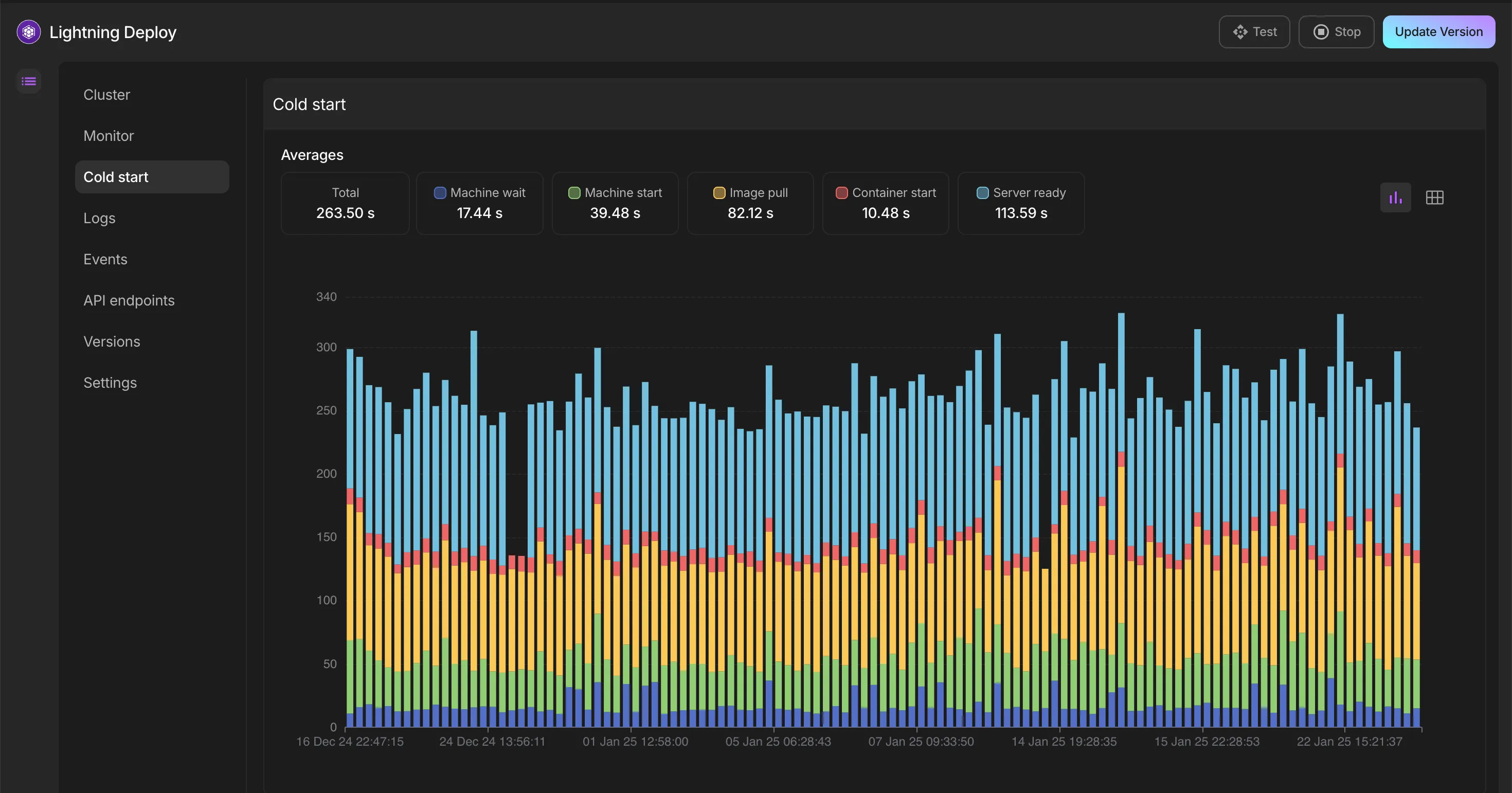
When the deployment has been running for months, you can explore the global trends with more ease.
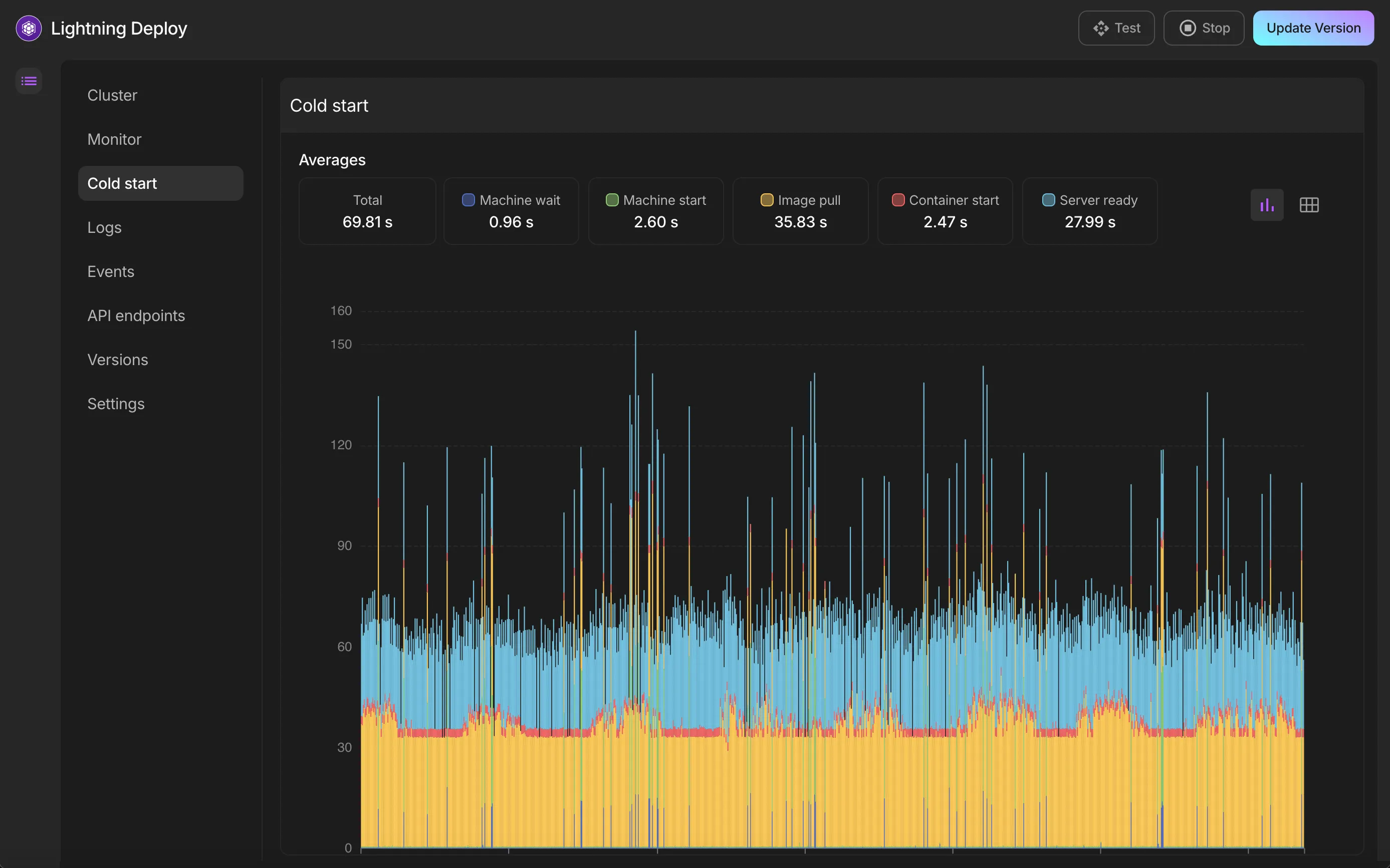
Cold starts often slow down due to bloated deployment images filled with unnecessary files, data, or large checkpoints. An easy win to speed up cold starts is to store model checkpoints on Lightning AI's optimized model hub and use Lightning AI's native container registry tailored for AI workloads.
Cold start is divided into 5 parts:
- Machine wait: The time the cloud provider takes to allocate a new machine. With a provisioned machine, this step is negligible.
- Machine start: The time by the machine to be ready. With provisioned machine, this step is negligible.
- Image pull: The time taken by the machine to pull the docker image. Using the Lightning registry, you can greatly reduce this step.
- Container start: The time taken by the container to start.
- Server ready: The time taken before the server is considered ready to receive traffic.
To ensure the server is properly marked as ready, configure a readiness health check.
Was this page helpful?
Thanks for the feedback.