
Why Lightning AI
Traditional clouds like AWS and GCP were not built natively for AI. Over time, single-purpose products like inference or training platforms have emerged that try to add the missing pieces. However teams end up managing dozens of tools that sit on top of traditional clouds which cause massive operational overhead and wasted spend on multiple subscriptions and extraneous compute.
Lightning AI is the first AI cloud that reimagines what the cloud should be for an AI-first world. We've bundled all tools you need to build and ship AI in a single cloud. From GPU cloud workspaces (Studio), to model APIs, experiment management, bundled clusters and more. This lets developers and AI teams build and ship AI insanely fast, cut wasted compute, and work in an intuitive experience inspired by Apple-level usability.
Why AI development is broken
Most AI systems never make it past the prototype phase because the bridge from development to production doesn’t exist. It's treated as a binary switch, when it should be a smooth evolution.
The problem isn't technical - it's architectural and organizational. Lightning AI closes both gaps.
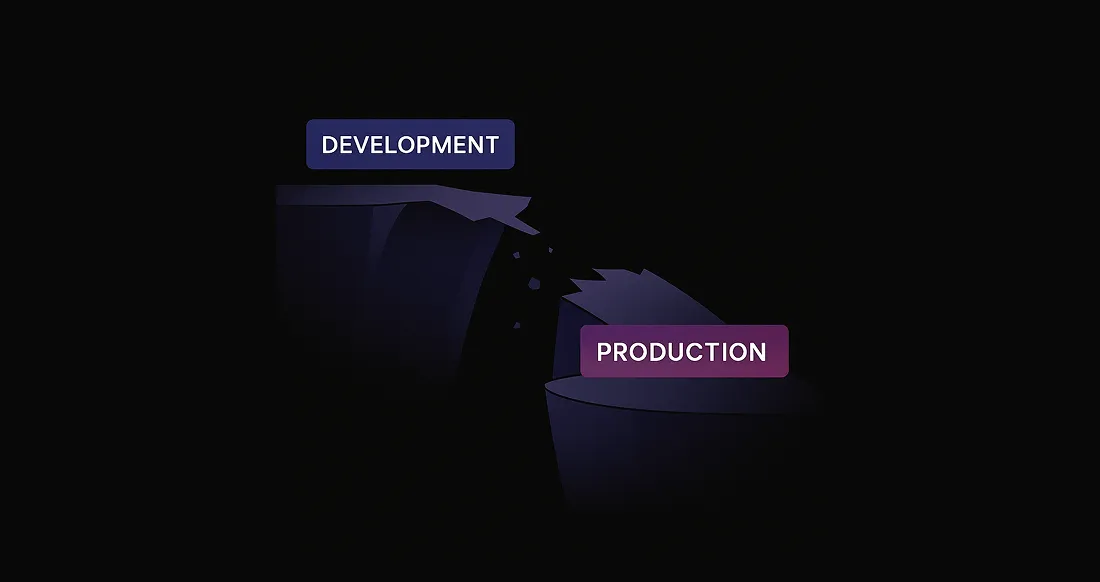
AI projects stall because:
- Prototypes aren’t production-ready - they run on laptops, not infrastructure
- Development happens in silos - no shared environment, unclear access, and no audit trail
- Tools are glued together - 40+ disconnected services make iteration slow
- Infra teams are overwhelmed - they provision compute manually and can’t track usage
- No way to hand off - builders ship notebooks, not systems
AI adds even more friction. Tools are immature, the tech changes weekly, and prototype environments rarely reflect production - especially when the data is different.
These gaps kill momentum. Even great ideas stall when you can’t collaborate or scale. Lightning AI supports the creative loop - the messy, iterative process where real products are built. When it's time to scale, production teams can take over - no rewrites, no re-architecture - zero handoff friction.
Build with Studios
Build: The Lightning Studio is at the center of development - an interactive, persistent cloud environment that feels like your laptop, but always on. It brings your entire dev workflow to the cloud. Code with your favorite IDE like Cursor, run multiple servers with public ports, test on live data, use GPUs, and more - perfect for fast iteration. When it’s time to scale, hand it off to a production team - no rewrites, no re-architecture - zero handoff friction.
Skip the Build: AI Hub gives you instant access to prebuilt, enterprise-ready AI apps and APIs - no code, zero setup.
Teamspaces: Organize teams
Teamspaces is the foundation of collaboration and control. It groups the people, Studios, data, compute, and budgets around a single project boundary - with built-in access control and resource isolation.
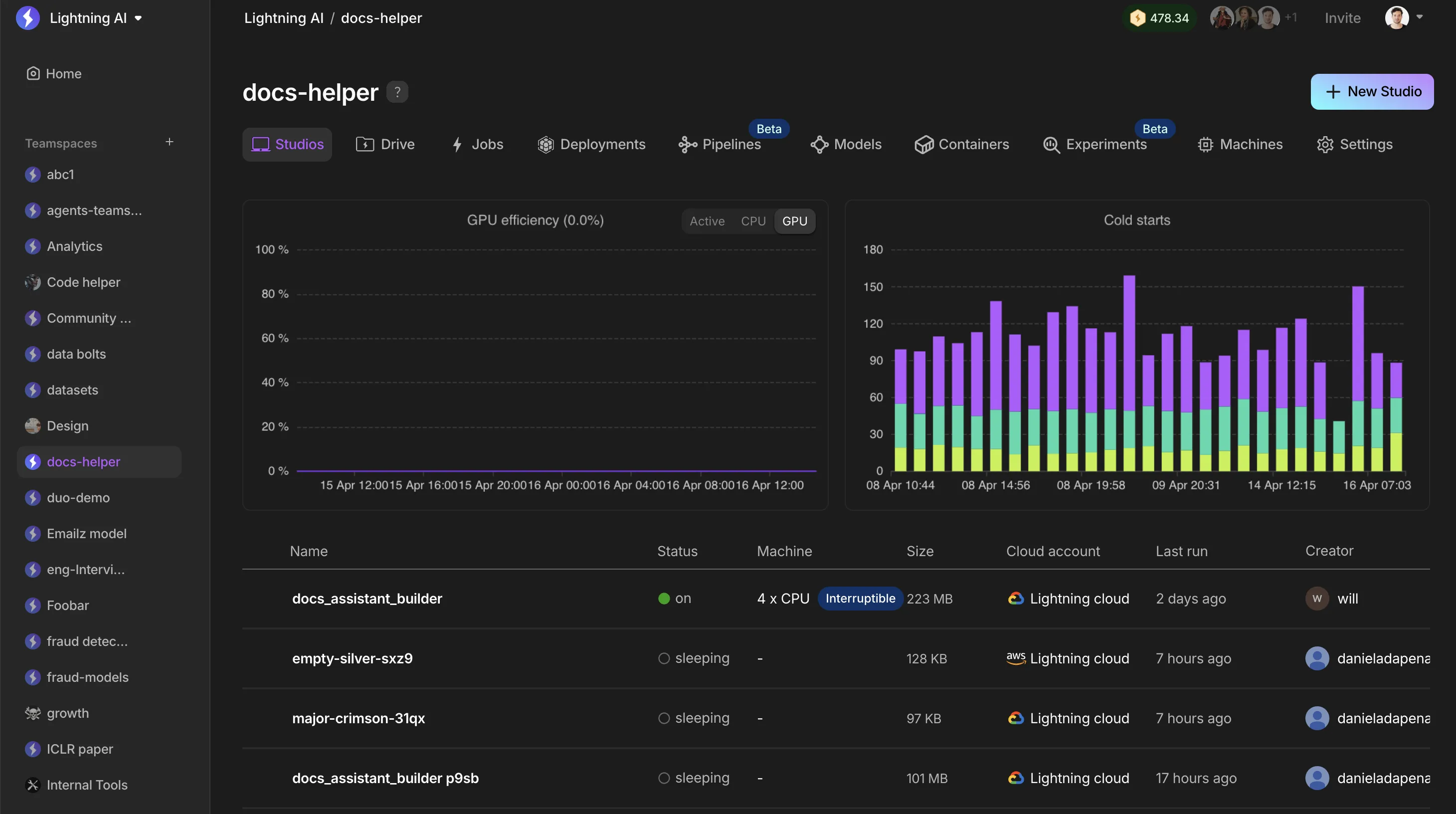
Teamspaces solve the hardest part of collaboration at scale: governance without friction.
- Scope access to files, datasets, and models
- Set compute budgets and track usage by team
- Isolate and manage cloud account resources (e.g. AWS, GCP, on-prem)
- Group Studios under one initiative - from training to deployment
Infra teams get control. Builders get freedom. Leaders get transparency. Everyone stays in sync.
Studios: Your cloud laptop
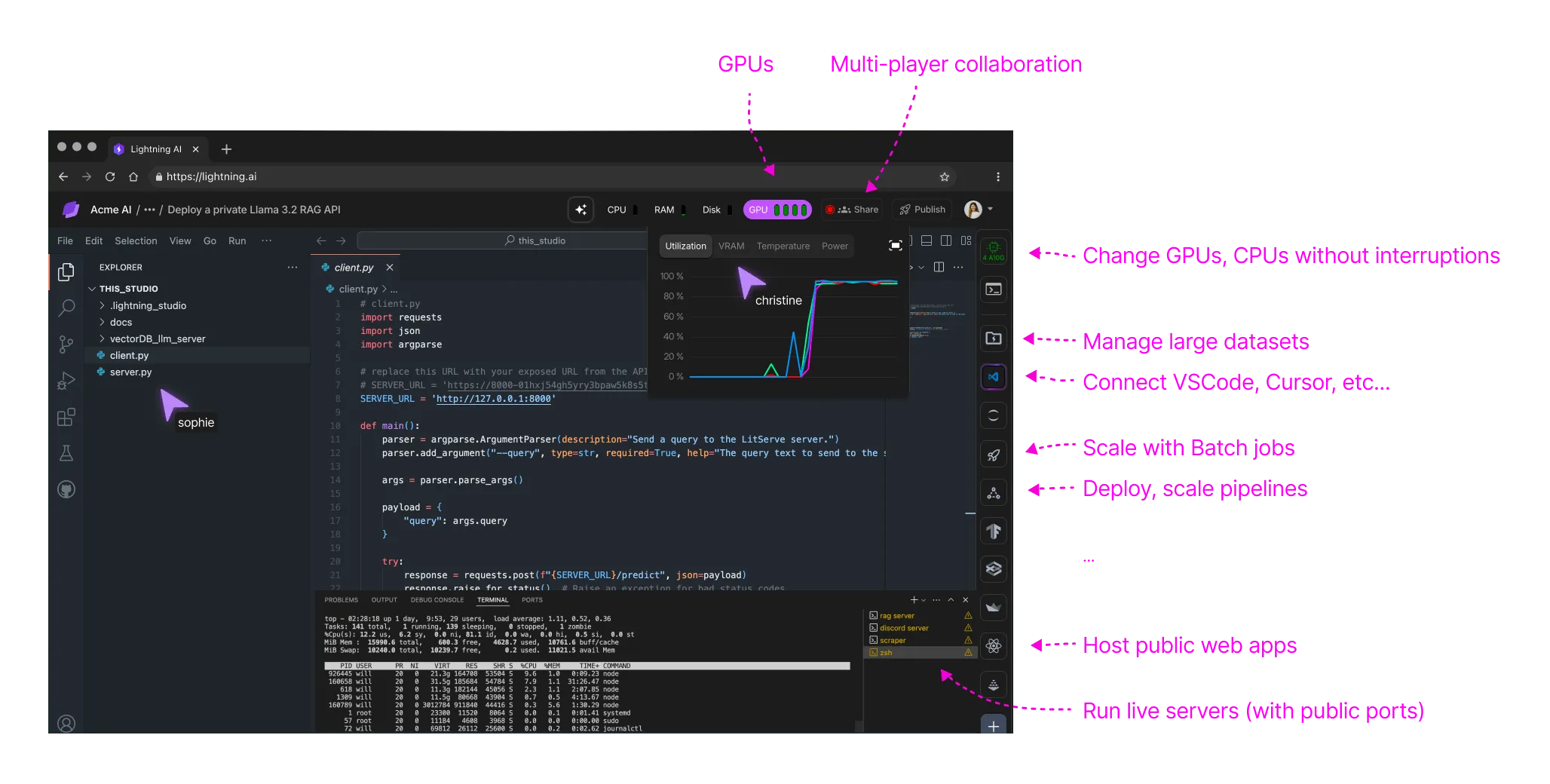
A Studio is like your local dev machine - but always on, accessible from anywhere, and wired into real data sources. Studios give you a persistent, cloud-based environment that’s always on and collaborative. It feels like your laptop - but it's live in the cloud with built-in GPUs, persistent storage, persistent environment, and exposed ports.
- Run code interactively with GPUs, exposed ports, and storage
- Deploy servers, web apps with exposed ports with auth and more
- Share a link with a teammate or demo with a stakeholder - no setup required
- Use your local IDE (like Cursor, VSCode, or PyCharm), or code in the browser
- Set breakpoints and debug live API requests from Discord, webhooks, or real users
- Resume exactly where you left off - even days later with persistent storage and environments
What makes Studios powerful isn’t just interactivity - it’s the ability to build and iterate against live, production-like data from day one. There’s no handoff between prototype and production - it’s the same system, evolving in real time.
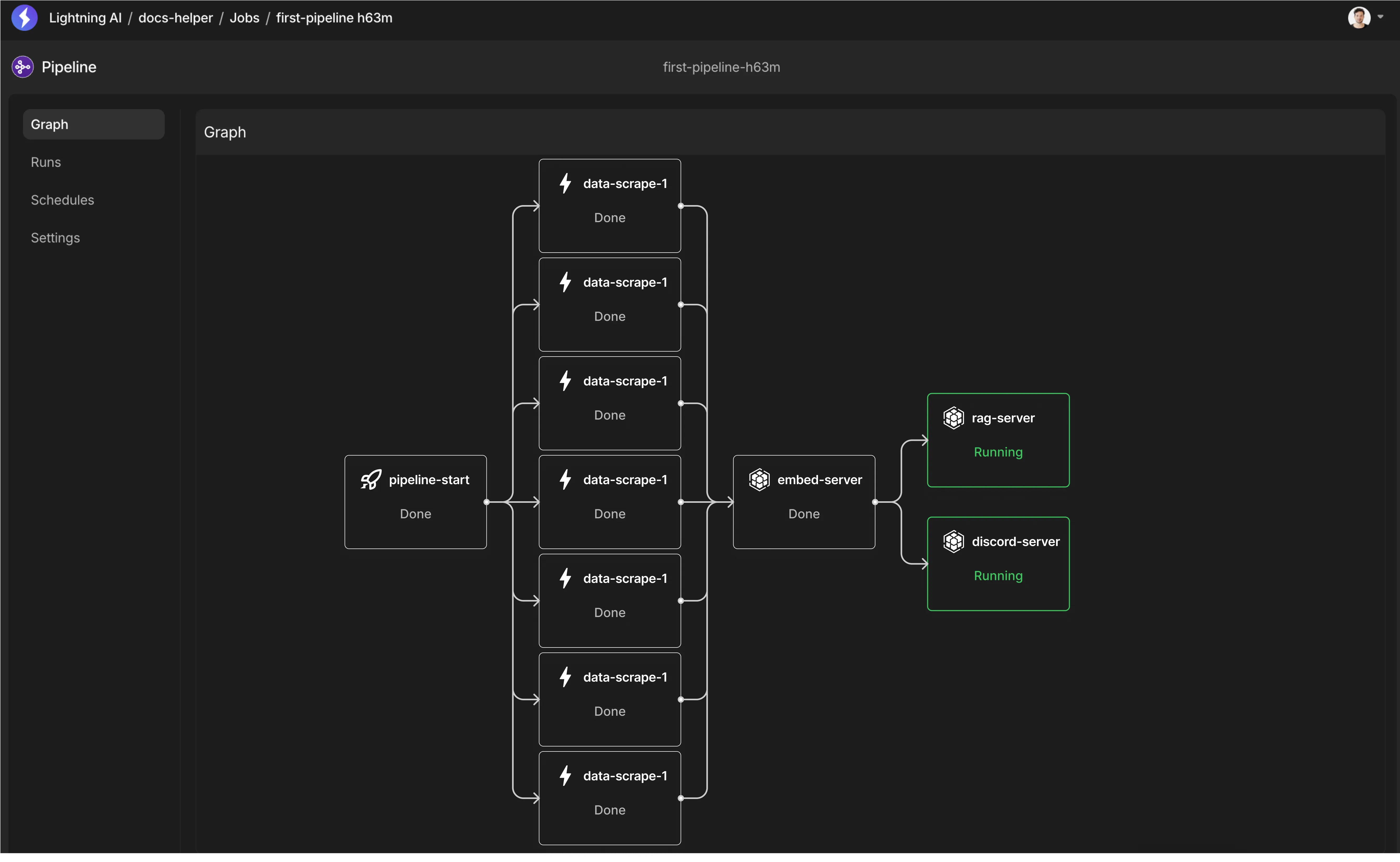
When you're happy with the 0->1 prototype, deploy the Studio as a standalone snapshot in the 1->2 stage until you reach enough scale. Once your 0->1 prototype is working, deploy the Studio as a standalone snapshot and keep shipping without changing environments. When scale becomes the priority, transition to the 2->n phase - and hand it off to your infra team to turn it into a production-grade pipeline using Lightning Pipelines.
| Feature | Your laptop | ⚡️ Studio |
|---|---|---|
| Use your favorite IDE (Cursor, etc.) | ✅ | ✅ |
| Install and run whatever you want | ✅ | ✅ |
| Persistent environment + storage | ✅ | ✅ (can stay on 24/7) |
| Swap hardware anytime (1-16 GPUs, 64 CPUs) | ❌ | ✅ |
| Dynamically expand disk size | ❌ | ✅ |
| Publish laptop so teammates can clone | ❌ | ✅ |
| Keep running 24/7 (with browser closed) | ❌ | ✅ |
| Ability to roll back corrupted machine | ❌ | ✅ |
| No risk to personal files | ❌ | ✅ |
| Expose APIs on internet-reachable ports (24/7) | ❌ | ✅ |
| Develop against live data | ❌ | ✅ |
| Share live demos with teammates (24/7) | ❌ | ✅ |
| Code in real-time with others | ❌ | ✅ |
| Clone and ship full "laptop" as a deployment | ❌ | ✅ |
From prototype to production
Lightning AI follows a 3-phase journey that matches infrastructure complexity to each stage of development - so you can scale when it matters, and stay fast when it doesn’t.
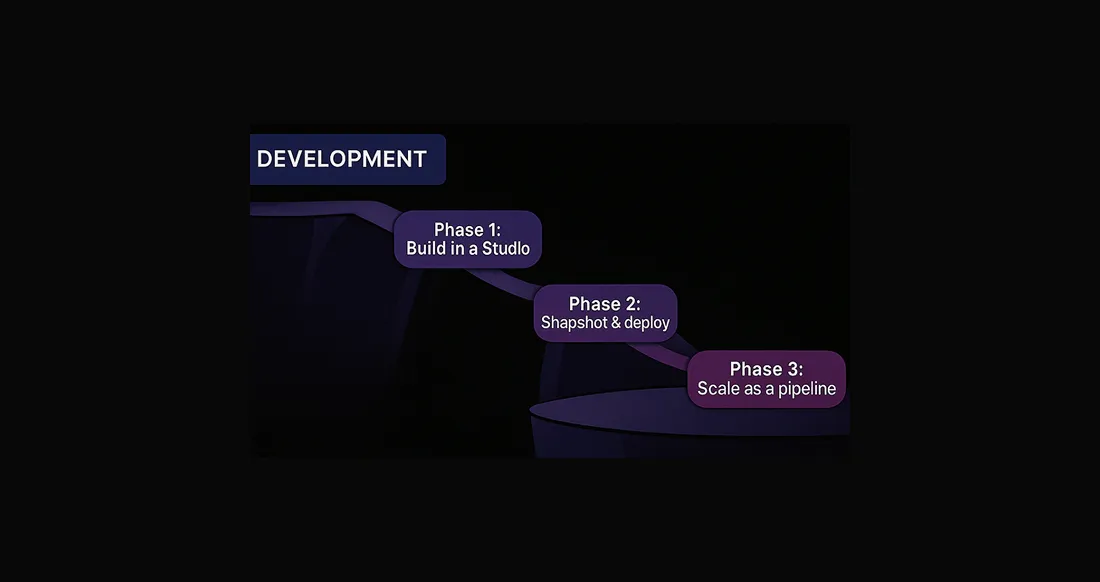
Phase 1: Build in a Studio
Start by developing in a Studio - your always-on cloud dev environment. Same experience as your laptop, but lets you test live data, run real servers, and iterate interactively until it works. Start multiple servers. Expose public endpoints. Install a vector DB. Run it all in one Studio - just like your laptop.
Phase 2: Snapshot & deploy
Once it’s working, snapshot your Studio and deploy it as a standalone system. You still run everything on one machine - your services talk via localhost - but now it’s scalable and monitorable.
Phase 3: Scale as a pipeline
As adoption grows, break the system into a distributed pipeline. Each service becomes a node that autos-scales independently, with full production reliability, monitoring, and fault-tolerance.
This progression keeps you fast in the early stages - and avoids the two deadly sins that kill AI products: premature optimization and unnecessary complexity.
Build without code
Lightning Studios is built for developers - but not every app needs to start from code. The AI Hub gives non-developers instant access to prebuilt enterprise apps and AI APIs that run with zero setup.
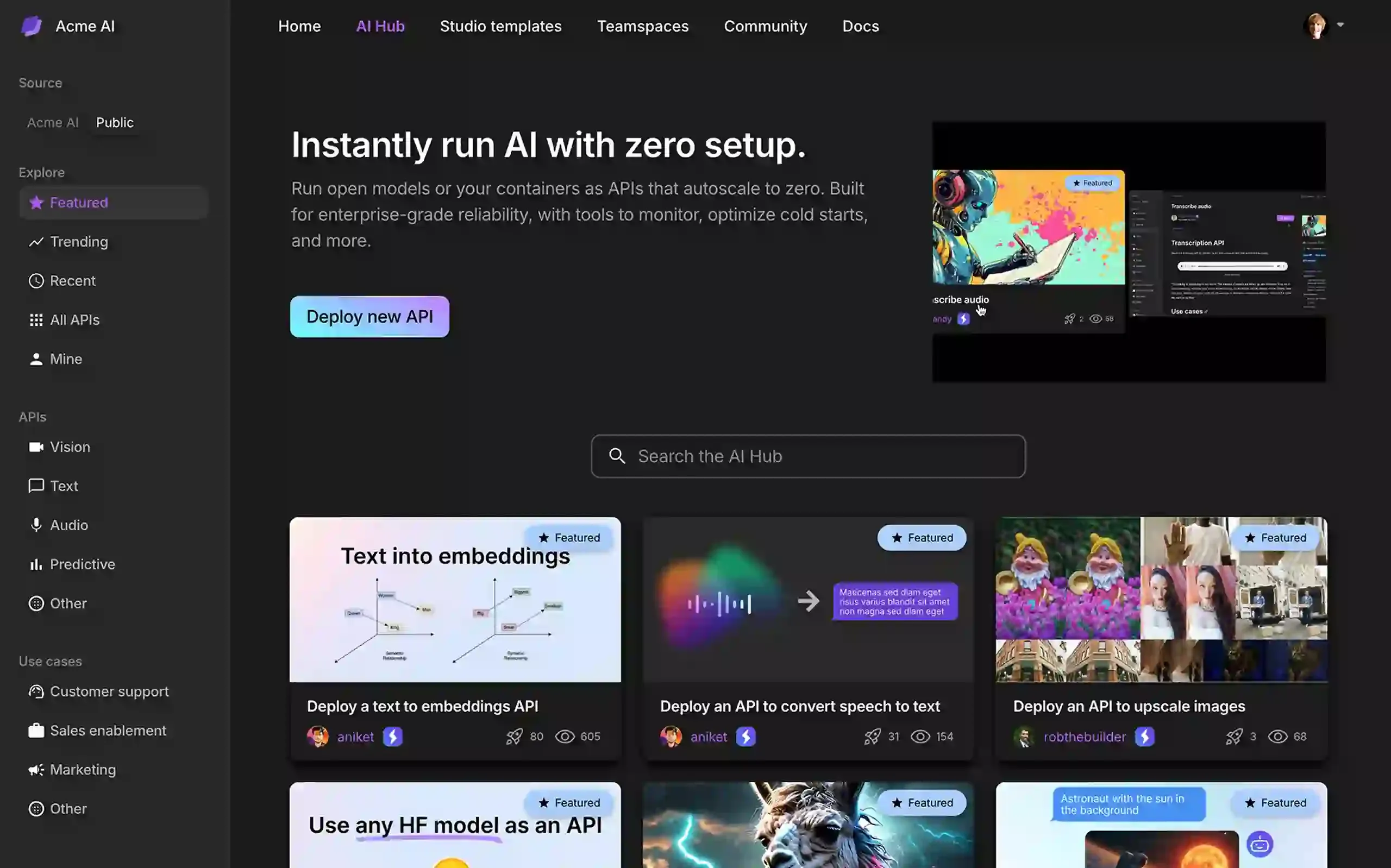
Explore the AI hub.
Reuse and share work
Too often, valuable work gets stuck - hard to reuse, slow to onboard, and impossible to share beyond the original team. Lightning AI makes work reproducible, reusable, and shareable - across teams and skill levels.
- Duplicate Studios: Recreate any Studio - code, environment, files, and all - so work can continue even if the original team has moved on.
- Publish reusable templates: Turn any Studio into a private template that other teams can use to start fast and stay aligned.
- Distribute no-code AI apps: Use the AI Hub to share production-ready, no-code AI apps with non-technical teams - no infra, no setup.
Was this page helpful?
Thanks for the feedback.