
Experiment Management
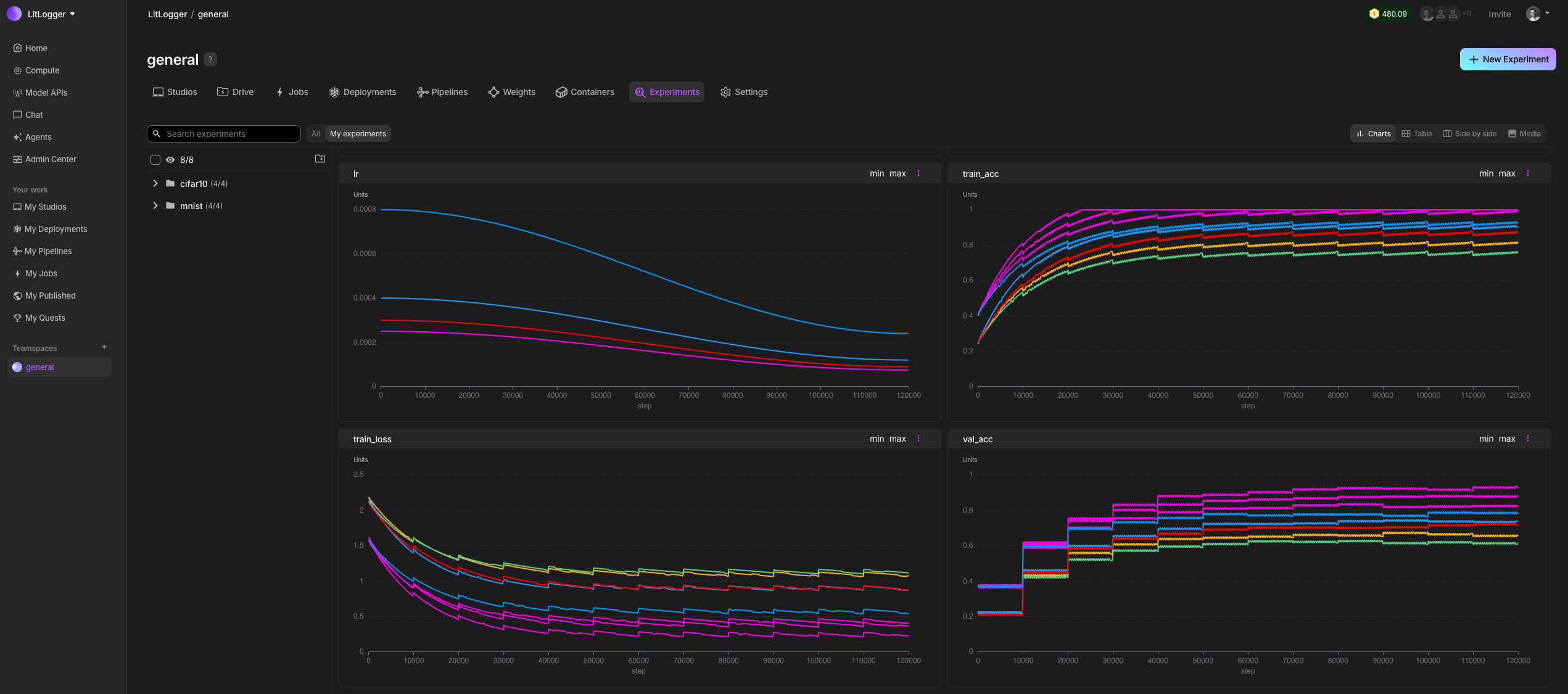
LitLogger is the experiment tracker built into Lightning AI. It supports standalone scripts, the new dict-style Experiment API, Lightning/Fabric integration, files, media, models, and retrieval workflows.
These docs are organized as a narrative:
- tutorials to get from zero to a working flow
- guides for specific workflows and API patterns
- runnable examples from the repository
- an API reference for the public surface
Start Here
Use this path if you are new to LitLogger:
Supported Workflows
LitLogger currently supports these main workflows:
- standalone logging with the dict-style
ExperimentAPI - legacy module-level logging helpers for existing scripts
- Lightning and Fabric integration through upstream
lightning.pytorch.loggers.LitLogger - file, image, text, and model logging through
File,Image,Text, andModel - experiment resume and later retrieval by name through
litlogger.init.init() - inference logging from a LitServe endpoint
Quick Example
import litlogger
from litlogger import File, Text

experiment = litlogger.init(name="quickstart")

experiment["model"] = "resnet50"
experiment["notes"] = Text("first run")

for step in range(10):
    experiment["train/loss"].append(1.0 / (step + 1), step=step)

experiment["config"] = File("config.yaml")
experiment.finalize()
Documentation Map
Tutorials provide end-to-end, task-oriented walkthroughs.
Guides explain workflows, migration paths, and logging patterns in more depth.
Examples include every runnable example currently shipped in the repository.
The API reference documents the public classes, functions, and enums.
Start
Tutorials
Guides
Examples
See Examples for the full list of runnable repository examples.
API Reference
Was this page helpful?
Thanks for the feedback.