
ML use case
Lightning AI enables enterprises to organize machine learning use cases at scale. This guide describes how to structure a machine learning (ML) in the organization.
What is an ML use case?
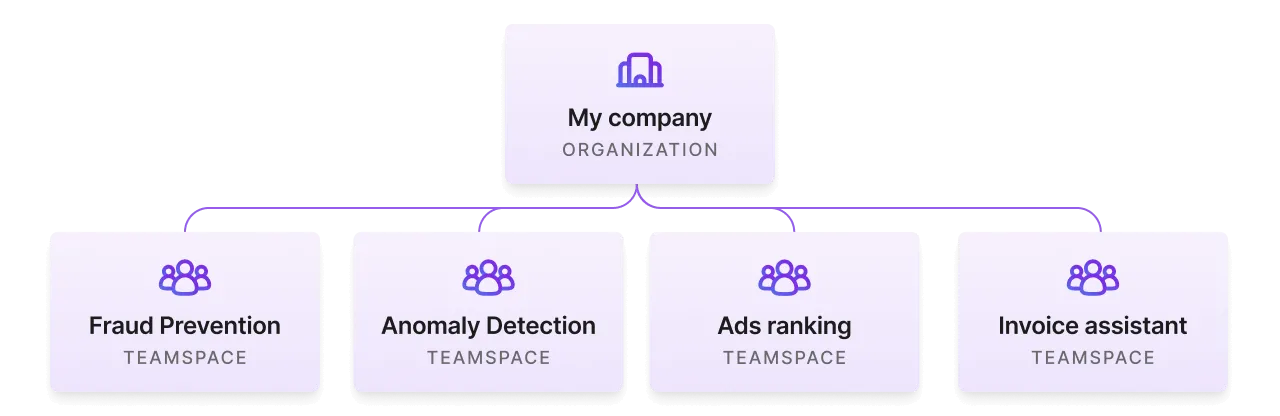
Enterprises operate around AI initiatives we often refer to as a use case. The focus of a use case is to achieve a business goal. The following are examples of different use cases:
Set up the use case
This section describes the steps to set up a use case in Lightning AI.
Create an organization
If you don't yet have an organization created for your company, make sure to do that now. There is no cost to create an organization and add members.
Start a new organization.
One teamspace per use case
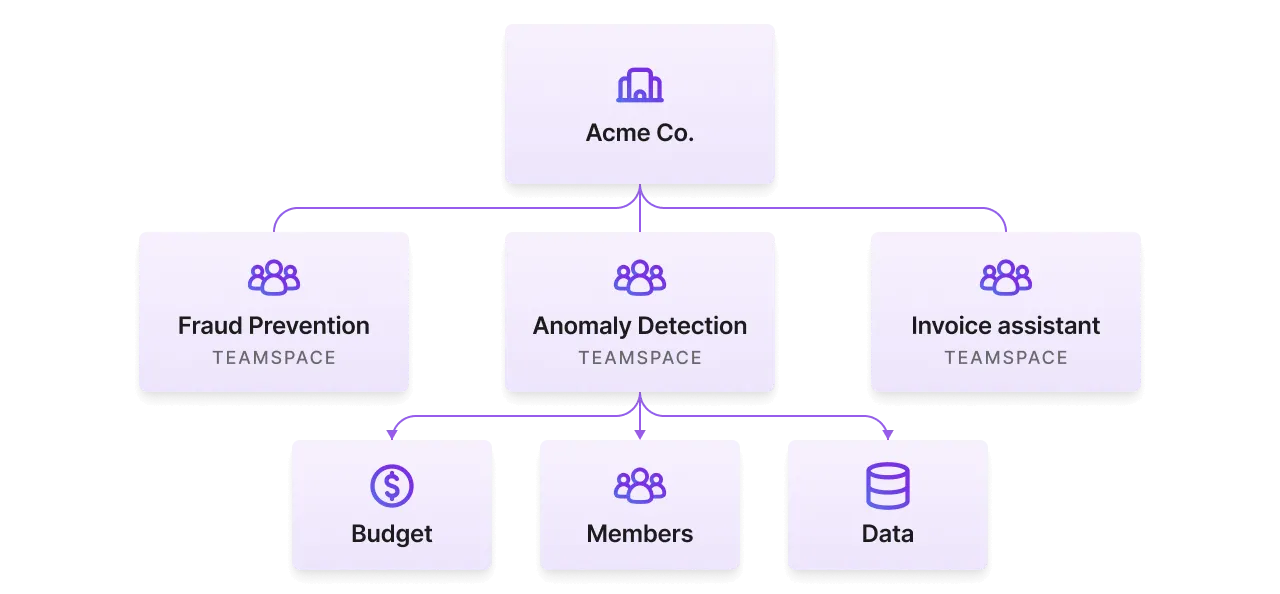
Create a teamspace for every use case. A teamspace restricts data shared in that teamspace with the teamspace members. It also groups Studios.
Create a teamspace per use case.
Add teamspace admins
Invite the leads of that use case as admins in the teamspace. The teamspace admins can manage users, request more budget, add data and more.
Invite teamspace admins.
View all admin permissions here.
Add teamspace members
Invite the rest of the team as members to the teamspace. Teamspace members can start/delete studios and more.
Add members to your teamspace.
View all member permissions here.
Add teamspace guests (optional)
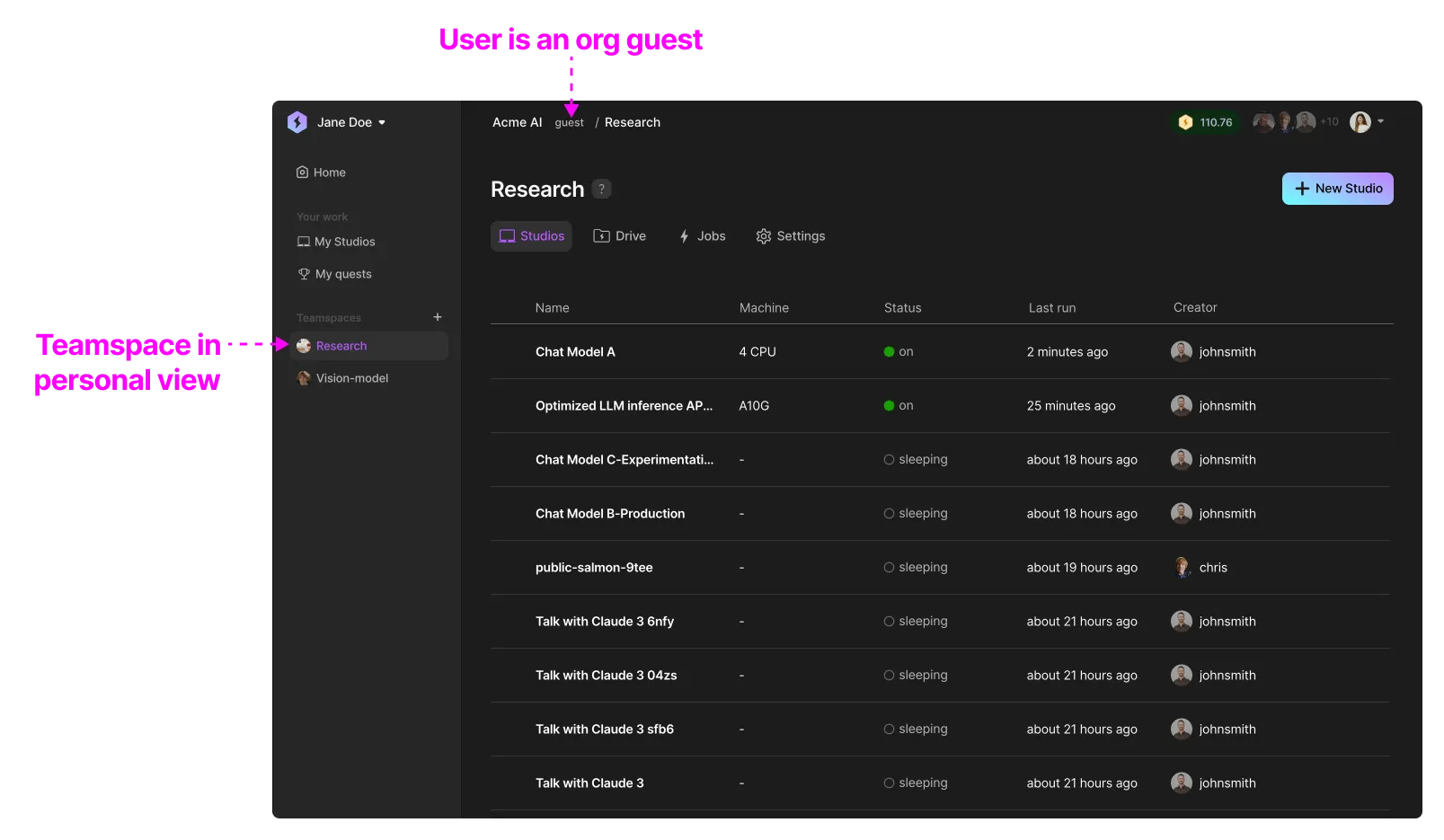
Invite external collaborators (contractors, other enterprise partners) to the teamspace as a guest. Guests have the same rights as members in a teamspace but do not have access to the organization.
Add guests to your teamspace.
Assign compute resources (optional)
Some times a use case has a specific set of cloud resources allocated to it. For example, a private cluster or a special AWS cloud account that has a specific cost center associated with it. Give the teamspace access in this step.
Add your cloud account.
Set a budget (optional)
Set a budget for the use case by transferring credits to it. Members will not be able to spin up cloud resources once the teamspace runs out of credits.
Set a budget for your teamspace.
Organize work
Below are our recommendations to best organize the work for an ML use case.
One Studio per task
A use case often has many parts to it: data pipelines, data cleaning, embedding, training, finetuning, serving, monitoring, and more. Limit each Studio to encapsulate one task.
Here is an example of a teamspace designed for the fraud use case.
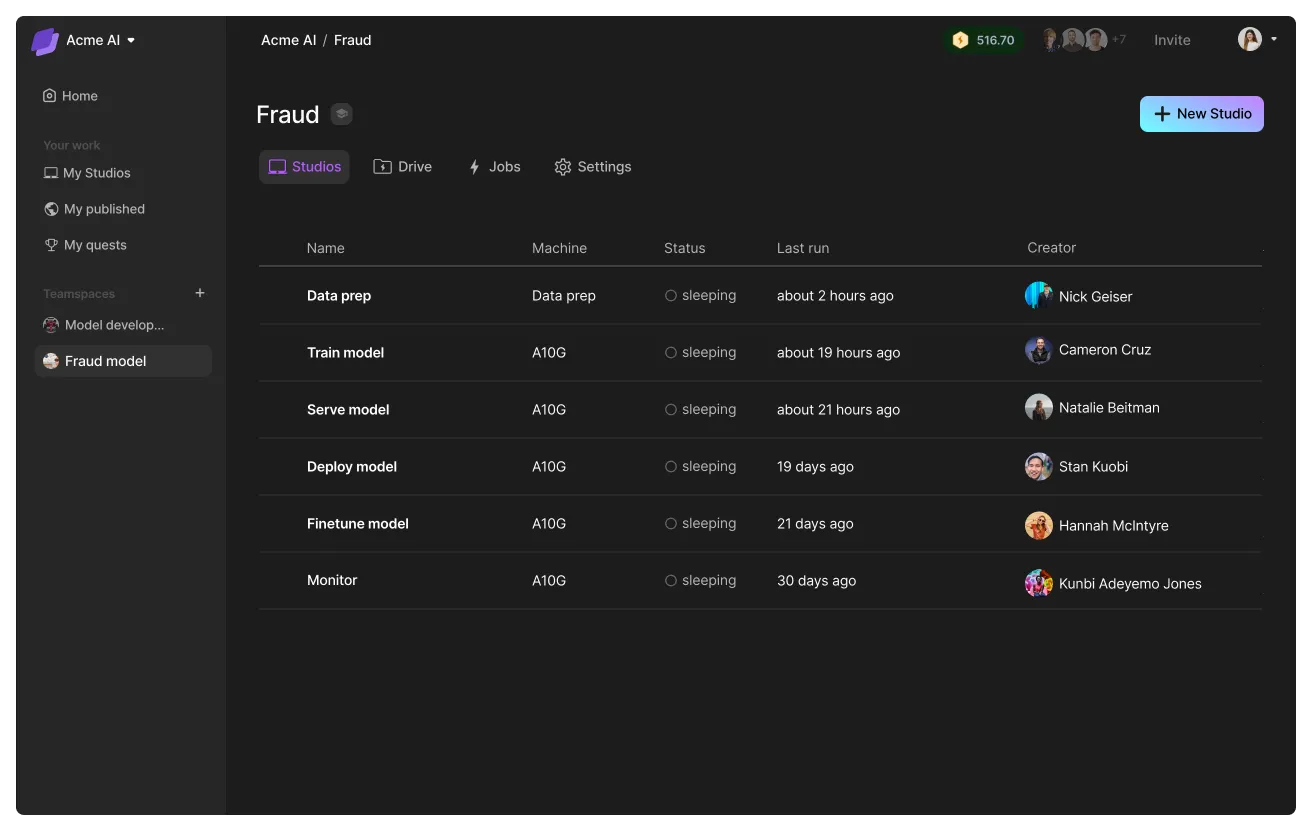
By limiting each Studio to a single task, you can create pipelines with our SDK that integrate Studios into your favorite workflow managers.

# login to the platform
# export LIGHTNING_USER_ID=000000-000000-000000-00000-000000000
# export LIGHTNING_API_KEY=111111-111111-111111-11111-111111111

from lightning_sdk import Machine, Studio

data_prep_studio = Studio("data_preparation")
data_prep_studio.start(Machine.DATA_PREP)

data_prep_studio.run("python prepare_data.py")
data_prep_studio.stop()

train_studio = Studio("training")
train_studio.start(Machine.V100_X_4)
train_studio.run("python train.py --data_path /teamspace/studios/data_preparation/preprocessed_data")
train_studio.stop()

deploy_studio = Studio("deploy")
deploy_studio.start(Machine.T4)
deploy_studio.run("python deploy_server.py --checkpoint /teamspace/studios/training/checkpoints/last.ckpt") # leave it running to serve requests
Add data
Connect the right data sources to the teamspace. This data is only available to the members of the teamspace and provides data governance and access controls.
Add data to your teamspace to use across Studios.
Lightning AI offers various methods such as direct uploads, connect an S3 bucket, import from snowflake, and more. Lightning AI can also enable custom connectors for enterprise customers.
Was this page helpful?
Thanks for the feedback.