
Growth
Lightning AI is perfect for growth startups. As a growth startup, you're likely supporting heavy workloads that require high-performance infrastructure. If you don't yet have this, stop reading and use the setup we recommend to early stage companies.
First time set up
Create an organization
First step is to create an organization
Starting a new organization.
Add team members
Add org admins and members.
Add team members and additional admins as needed.
Connect cloud accounts
Use startup cloud credits more efficiently with Lightning AI.
With our environment management system, auto sleep and advanced internal features, lightning users can save about 60% on wasted cloud credits and faster iteration to get more compute for their credits.
Connect a cloud account to use credits more efficiently.
Fewer failures, environment setup times and the right tooling means that you can iterate on ideas faster without wasting cycles on technical failures.
Organize work
Use these recommendations to set up work inside the organization.
One teamspace per use case
It is common for AI initiatives to be organized as "use cases". Each use case can be mapped to a teamspace.
For example, creating a system to detect fraud in credit card transactions. Notice we did not say a "model", but a system.
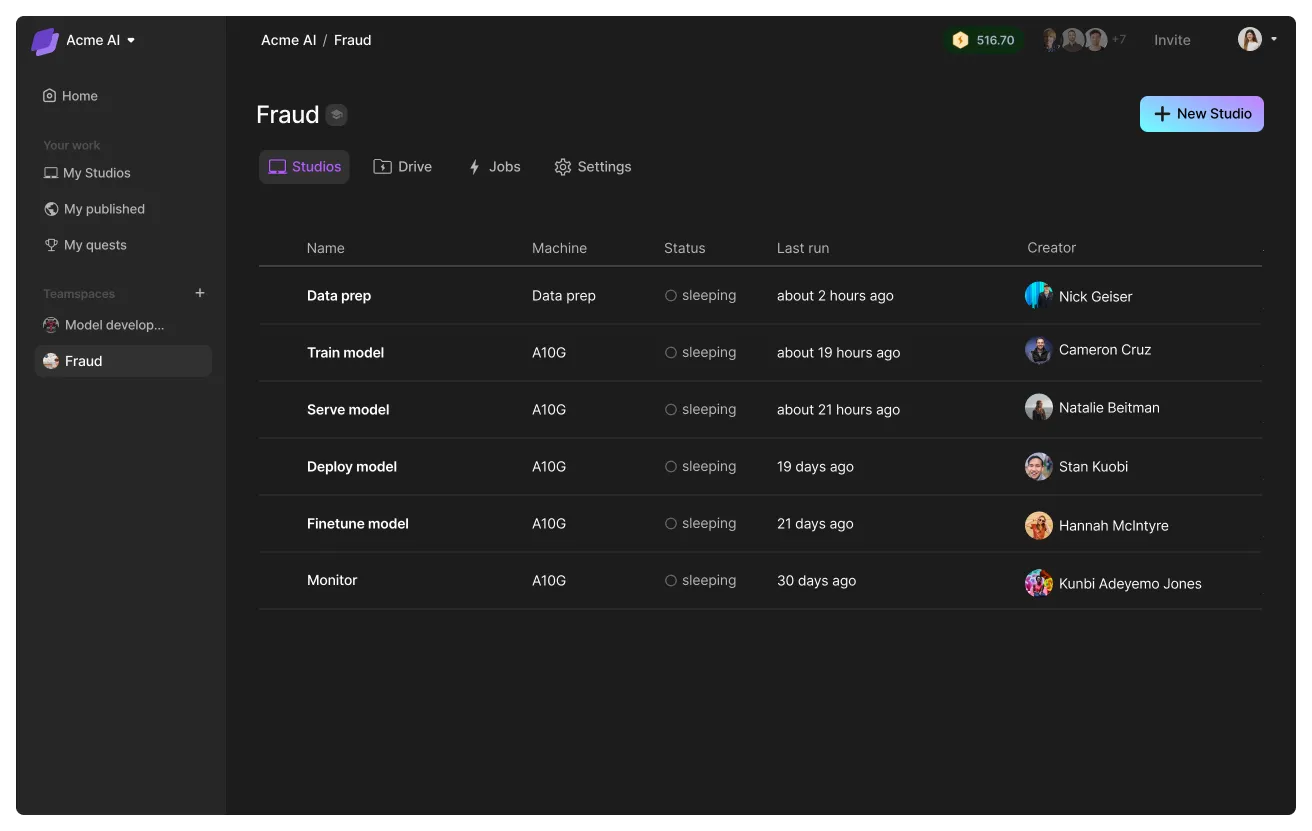
A system has many parts to it: data pipelines, data cleaning, embedding, training, finetuning, serving, monitoring, and more. All these different steps can be encapsulated inside a single teamspace oriented towards that goal.
Here is an example of a teamspace designed for the fraud use case:
One Studio per task
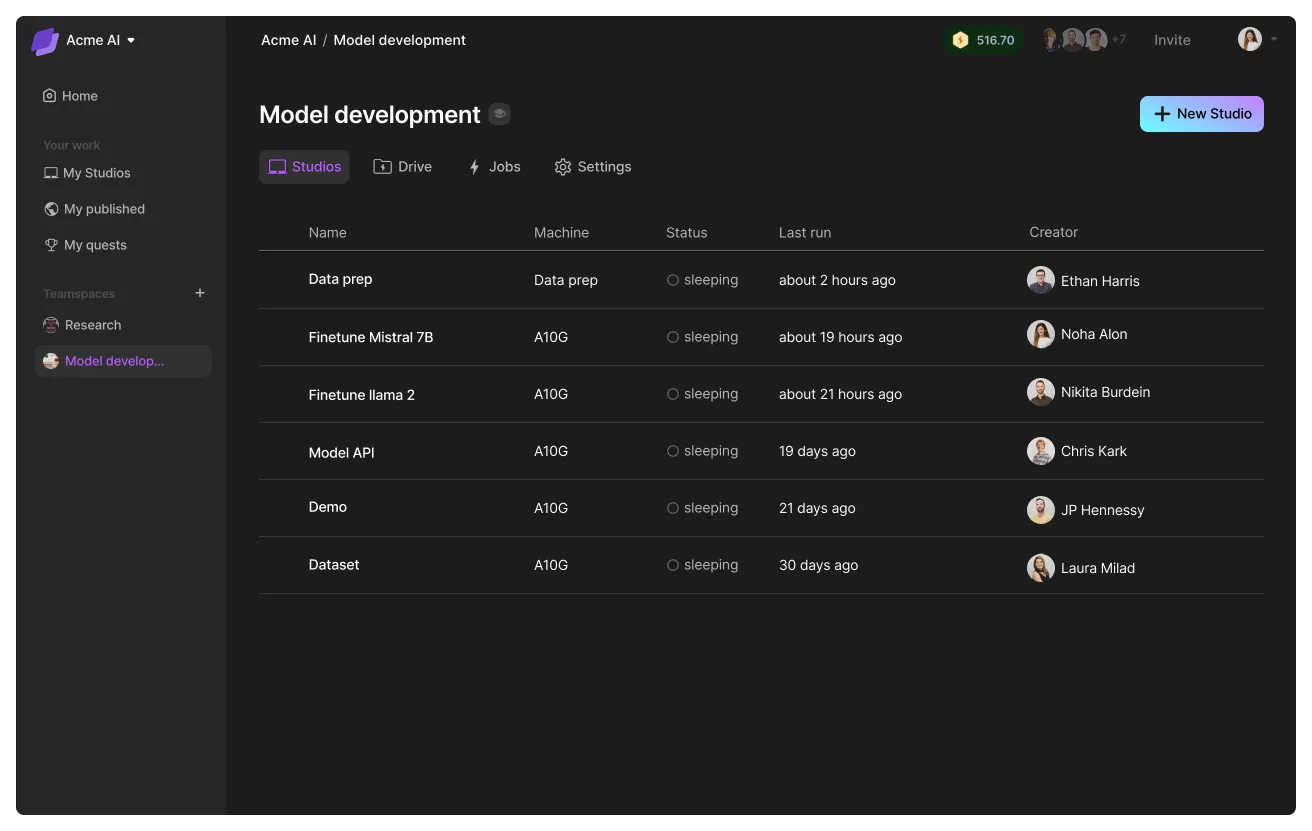
For optimal workflow organization, we recommend dedicating a single Studio to each task. This approach enables you to:
- Create specific pipelines for varied tasks.
- Streamline processes, making them easier to manage and replicate.
Here's an example teamspace.
Automate pipelines
Use the SDK to create a pipeline that orchestrates multiple studios.

# login to the platform
# export LIGHTNING_USER_ID=000000-000000-000000-00000-000000000
# export LIGHTNING_API_KEY=111111-111111-111111-11111-111111111

from lightning_sdk import Machine, Studio

data_prep_studio = Studio("data_preparation")
data_prep_studio.start(Machine.DATA_PREP)

data_prep_studio.run("python prepare_data.py")
data_prep_studio.stop()

train_studio = Studio("training")
train_studio.start(Machine.V100_X_4)
train_studio.run("python train.py --data_path /teamspace/studios/data_preparation/preprocessed_data")
train_studio.stop()

deploy_studio = Studio("deploy")
deploy_studio.start(Machine.T4)
deploy_studio.run("python deploy_server.py --checkpoint /teamspace/studios/training/checkpoints/last.ckpt") # leave it running to serve requests
Skip the DIY trap
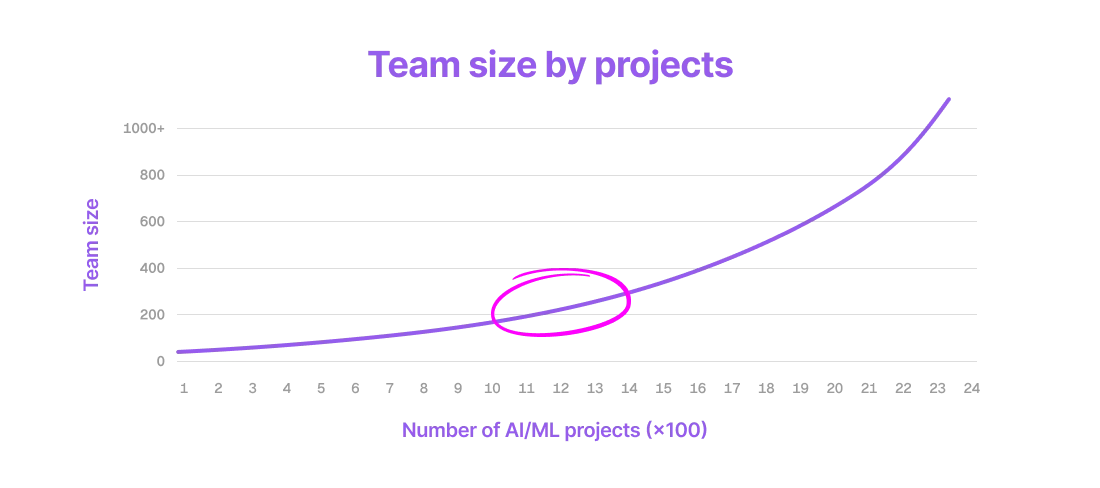
AI startups don't initially plan to build their infrastructure - yet, it happens very often. It starts with a POC with Kubernetes or AWS. Then slowly you layer in functionality. Eight months later it's a full time job.
Pretty soon your team is overwhelmed, spending 90% of their time managing your own complex web of systems. Congratulations, you just accidentally built an ML platform!
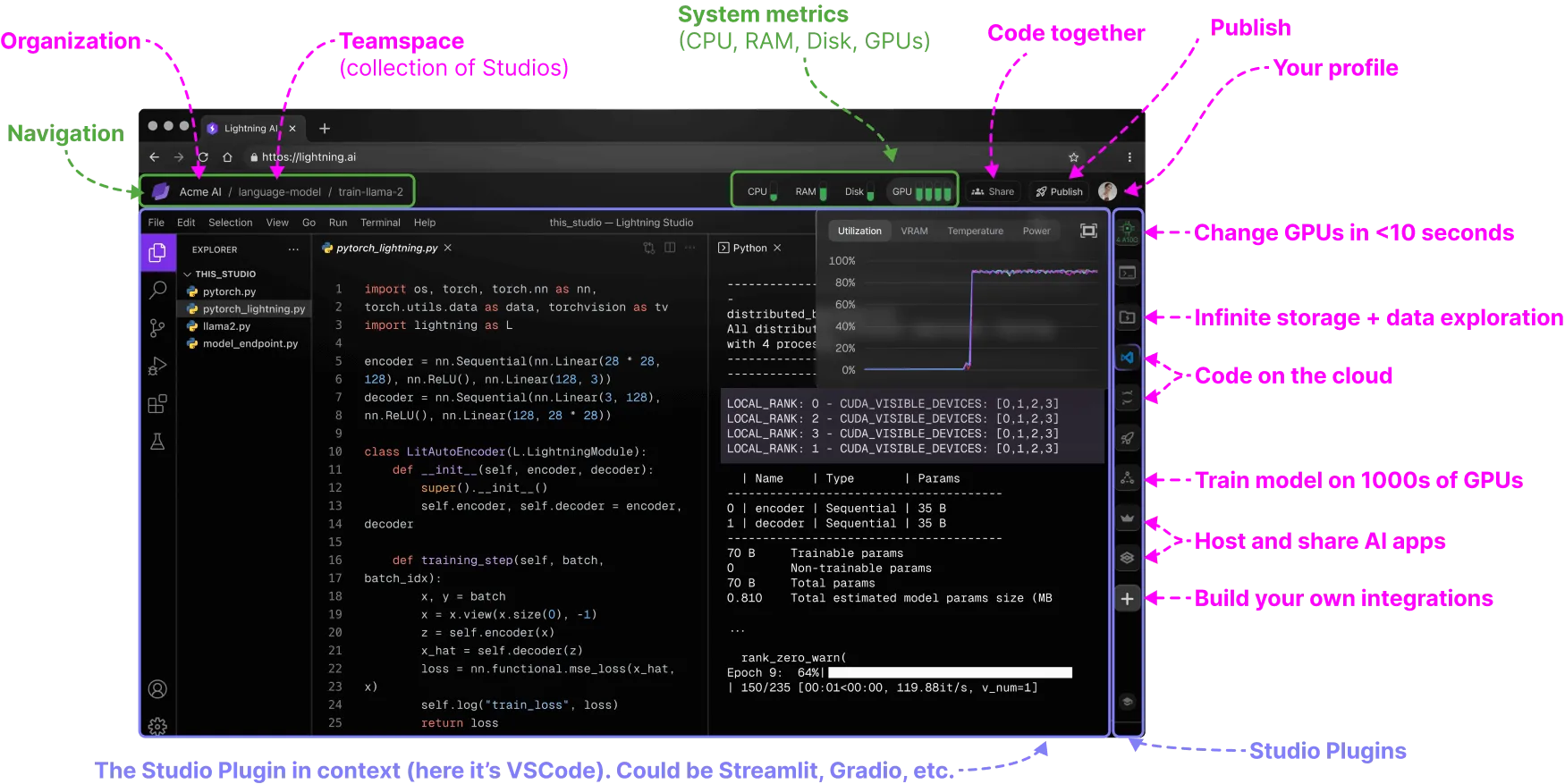
With Lightning AI, enjoy the autonomy of a custom platform without the hassle. Lightning AI hands you the keys to a smooth platform experience, allowing you to focus on what matters.
Was this page helpful?
Thanks for the feedback.