
University lab
Lightning Studios are ideal for research projects as they enable you to create and share reproducible environments, collaborate in real time, and manage the costs of each research project.
If you are running a research lab, we recommend creating a new organization and inviting all your lab members—for example, "LLM Lab".
First time set up
It takes <10 minutes to set up a new organization and invite all team members.
Create an organization
There is no cost to create a new organization.
Create an organization with the name of the lab. Navigate to the top left of the screen and click the title on the top left. Then, click "New Organization":
Add organization admins
Invite the members who will manage the organization. These are the PIs for the lab usually. Organization admins have elevated permissions to manage members, cloud accounts, budgets and more.
Add admin to your Lab teamspace.
Add organization members
Invite all lab members to the organization (as members). Each member automatically gets their own teamspace.
Add additional team members to the teamspace.
Add cloud account (optional)
Your organization comes with the default, secure cloud account. Connect a private cloud account to use AWS credits (like grant money, or academic credits.
Connect a private cloud account.
Private cloud accounts consume cloud credits and run on your own private cloud infrastructure. If you work with sensitive data or need extra security, we recommend this method.
Unlock more features
It's free to get started with Lightning AI organizations. Pay as you go while you prototype and get projects started. As projects mature or you need advanced functionality, unlock new features by upgrading to different tiers. Compare advanced features here.
Creating an organization is free. Upgrade to fit your needs.
If you have any questions, contact us directly or write to us on our Discord.
Advantages
Setting up a research lab on Lightning AI offers many advantages.
Manage research budgets
Organize a research project in a teamspace to set a budget. Teamspace members will not be able to exceed that budget. Principal investigators can also set spending alerts and require permissions for activity that might exceed a threshold.
Set a budget for your teamspace.
Track spend
Each teamspace tracks the credit activity of all members and actions in the teamspace.
Track activity within the teamspace.
Organization admins can also view the aggregate activity at the organization level for more granular control.
Organization admins can view activity across teamspaces.
Allocate compute resources
Organizations have different grants, budgets, or compute available to certain research projects. Each teamspace has the ability to add a custom cloud compute resource.
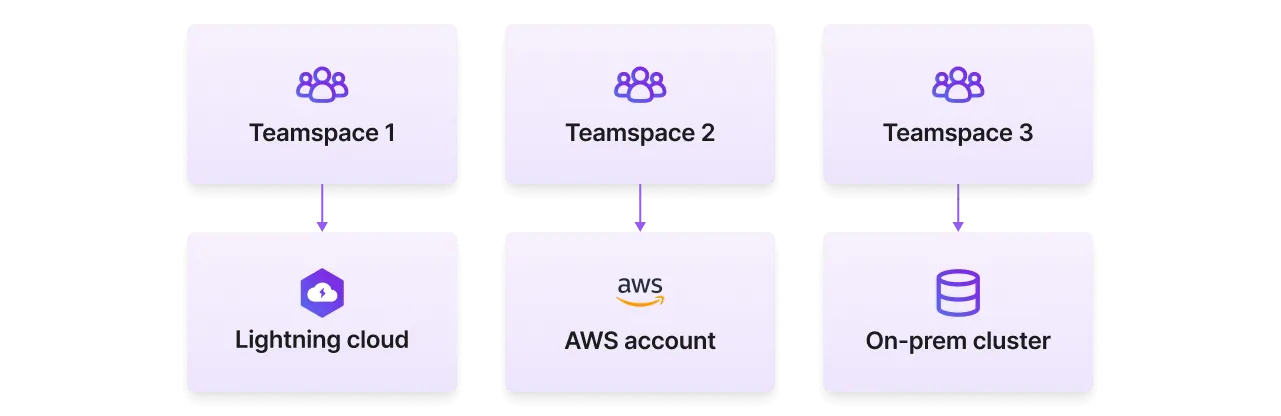
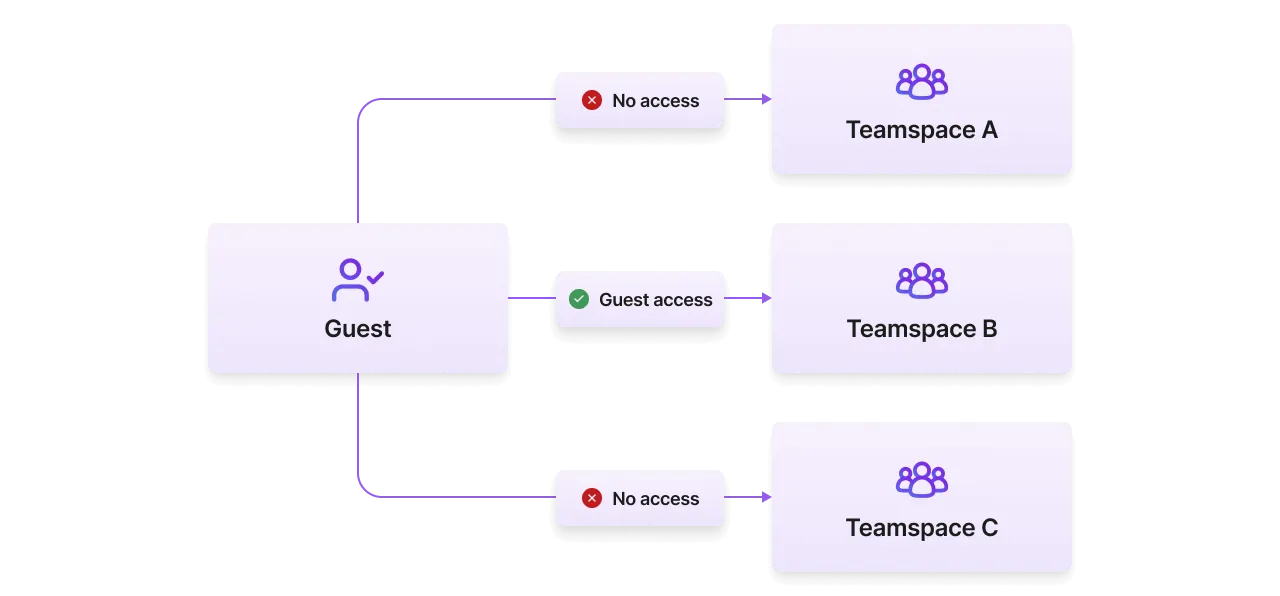
Enable external collaboration
Lightning AI allows members of different organizations to collaborate in the same teamspaces while respecting the security considerations of each individual organization. External contributors can join teamspaces on a per-project basis as "guests" who have access only to that teamspace.
Full reproducibility
Reproducibility in computational research has been nearly impossible until now. Publish Studios publicly or inside the lab that can be duplicated in a few minutes. Duplicate a published Studio to get an exact replica of the environment down to the installed packages, environment variables, files, and more.
Duplicate a published Studio to get an exact replica of the environment, including all dependencies.
This allows work to be instantly open sourced in a way that can be fully replicated.
Live collaboration
Researchers can collaborate with each other on the Studio to explore results, visualize experiments, share files/artifacts, and debug code and environments together. No need to set up local environments or figure out how to get a collaborator to reproduce your results.
Use live sessions for real-time collaboration on research.
Use cloud credits
The majority of research grants given by cloud providers go unused. Connect a cloud account in < 5 minutes to immediately start using those cloud credits. Cost saving features like auto-sleep, alerts and more, help users make their cloud credits last much longer on Lightning AI.
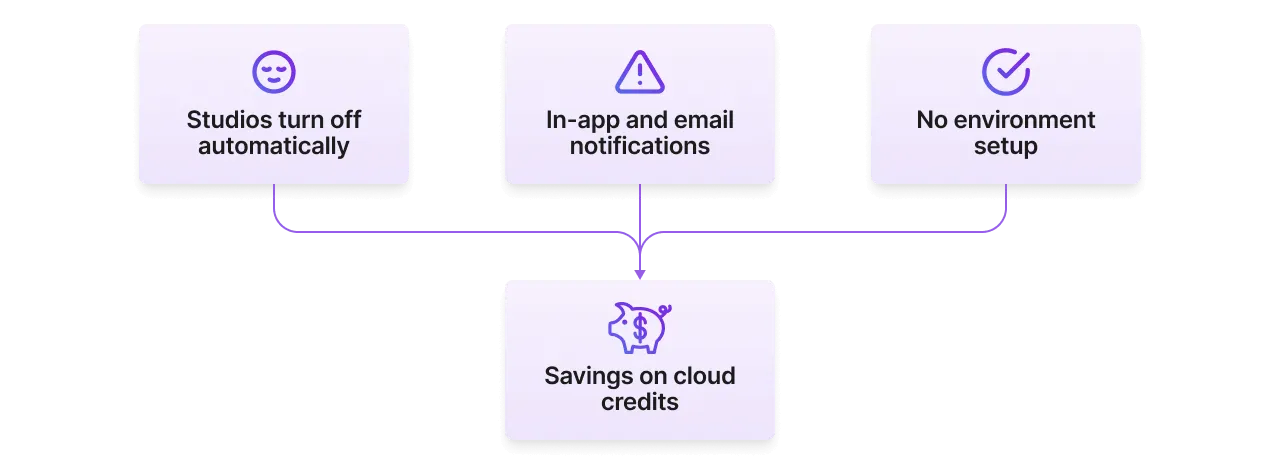
Open source work
Work done on Studios can be open sourced and made public instantly. No need to "clean up" the code, or spend time writing lengthy instructions on how to reproduce the environment and "hope" users can replicate the exact same code and results the research presented. At the end of research, publish a Studio which can be accessible to anyone on the internet, or internally in your organization.
Publish your Studios to the public to contribute your work to the open source community.
Organize work
Use these recommendations to structure work inside an organization.
One teamspace per project
Set up a teamspace per research initiative (this typically results in a publication). This is normally done by organization members as new projects come up.
Create one teamspace for each research initiative.
A teamspace isolates data access to a group of people under a shared goal. Each teamspace will group Studios and data related to the project. It also allows PIs to set cloud budgets. For example if the project is to create a cancer detection model , the teamspace will be "cancer detection" and the Studios in the teamspace will be different tasks (train model, finetune, deploy, etc...).
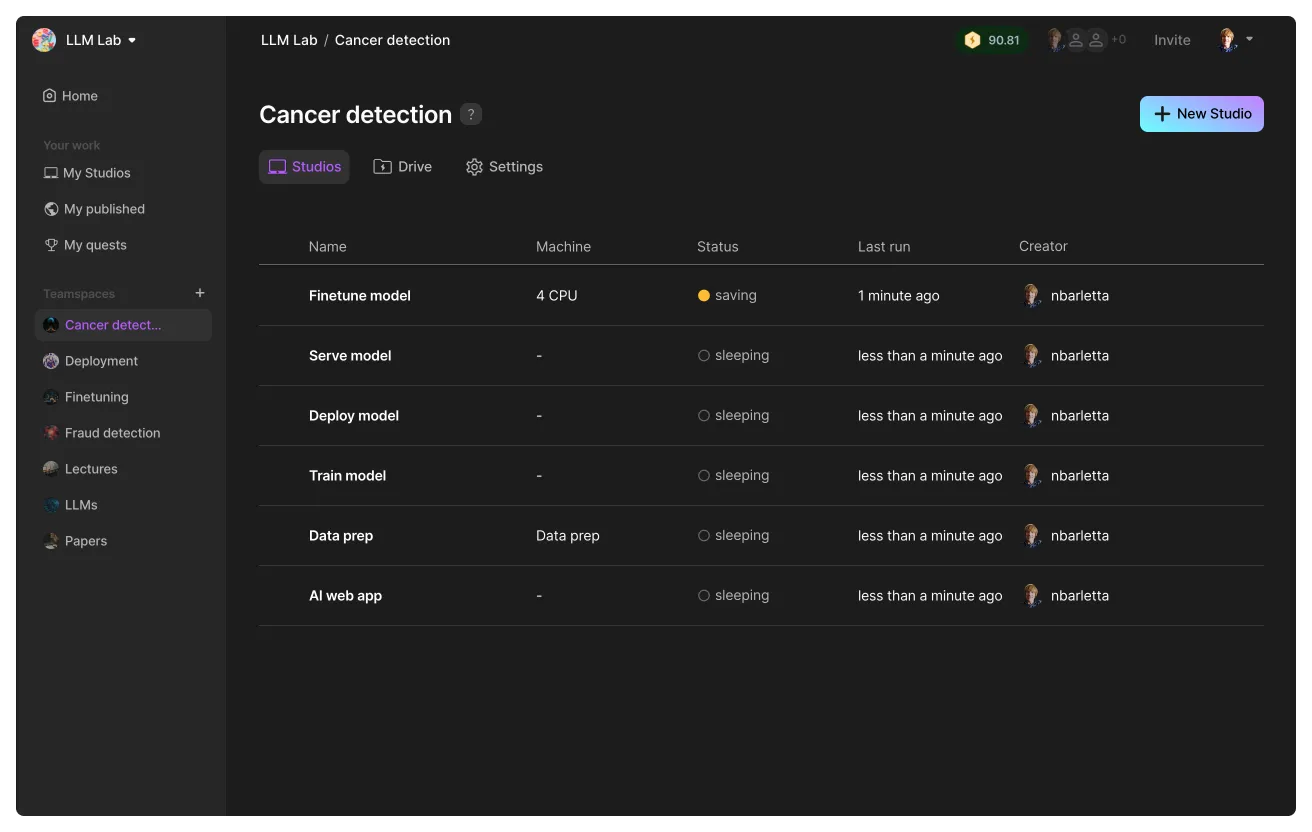
One Studio per task
Organization members will create multiple studios inside a teamspace. Each Studio should be isolated to one task with a stand-alone cloud environment.
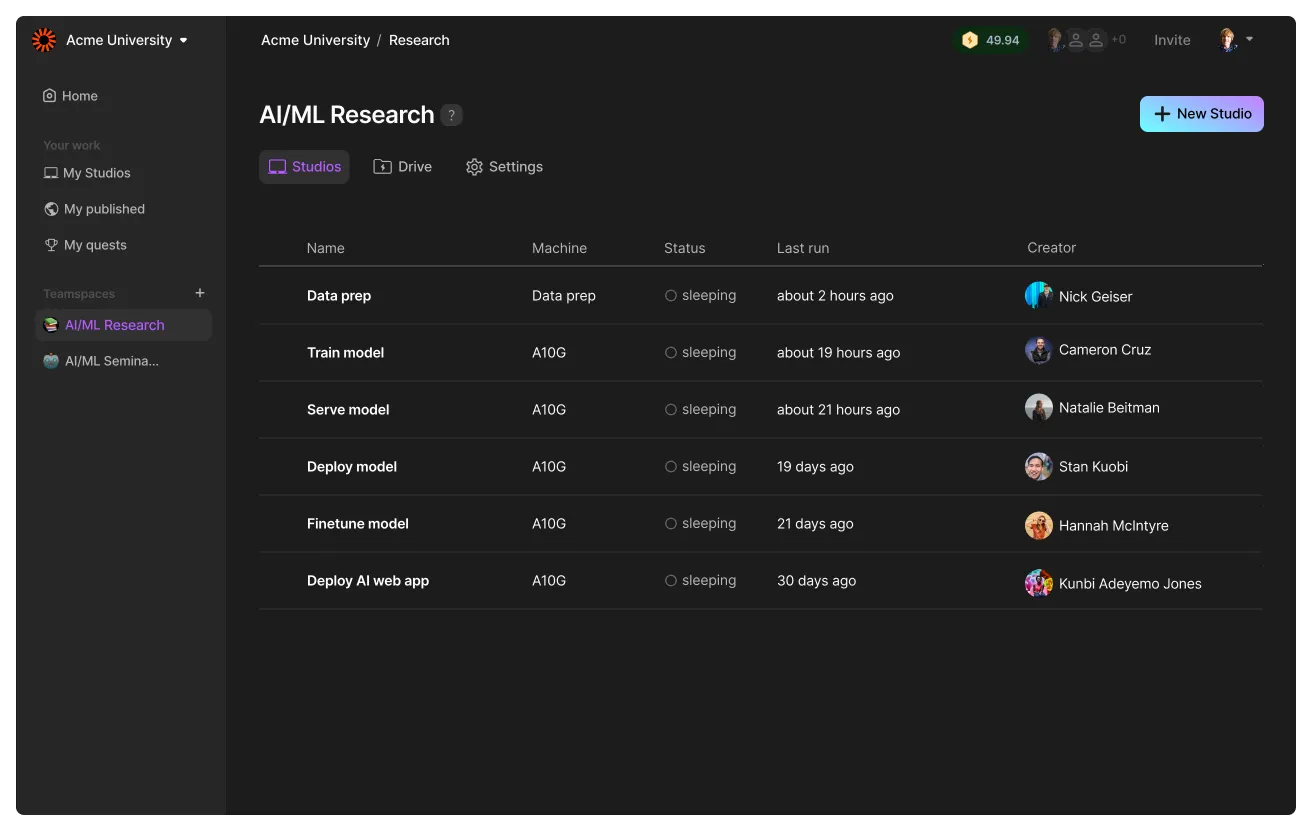
All studios can access the same files in the teamspace, so you can create a dataset on one Studio and access it from a second Studio.
All studios can access the same files within a teamspace.
Create Studio templates
A way to share work across the organization is to publish Studios to the internal library. Organization members can duplicate these Studios into different teamspaces.
Publish studios to the internal Studio templates gallery to share work across the organization.
Was this page helpful?
Thanks for the feedback.