
Examples
Here are simple examples to get you started with Lightning Batch Jobs. These showcase common use cases.
Hello world Job
A minimal example to submit a simple job that prints "Hello, Lightning!":
from lightning_sdk import Studio, Machine, Job

# Initialize Studio and ensure the Jobs plugin is installed
studio = Studio(name='my-studio', teamspace='my-teamspace', user='my-user')

# Submit the job
submitted_job = Job.run(command="echo Hello, Lightning!", name="echo-example", machine=Machine.CPU, studio=studio)

print(f"Job submitted: {job_response}")
Hyperparameter sweep
Run a hyperparameter sweep by launching multiple jobs, each with different learning rates:
from lightning_sdk import Studio, Machine, Job

# Initialize Studio and the Jobs plugin
studio = Studio("sweeper-studio")
studio.start()

# Define your search space
learning_rates = ['0.01', '0.02', '0.03']

# Submit jobs for each learning rate
for lr in learning_rates:
    cmd = f'python main.py --lr {lr}'
    Job.run(command=cmd, name="sweep", machine=Machine.A10G, studio=studio)
Track job progress directly in the Batch Jobs plugin:
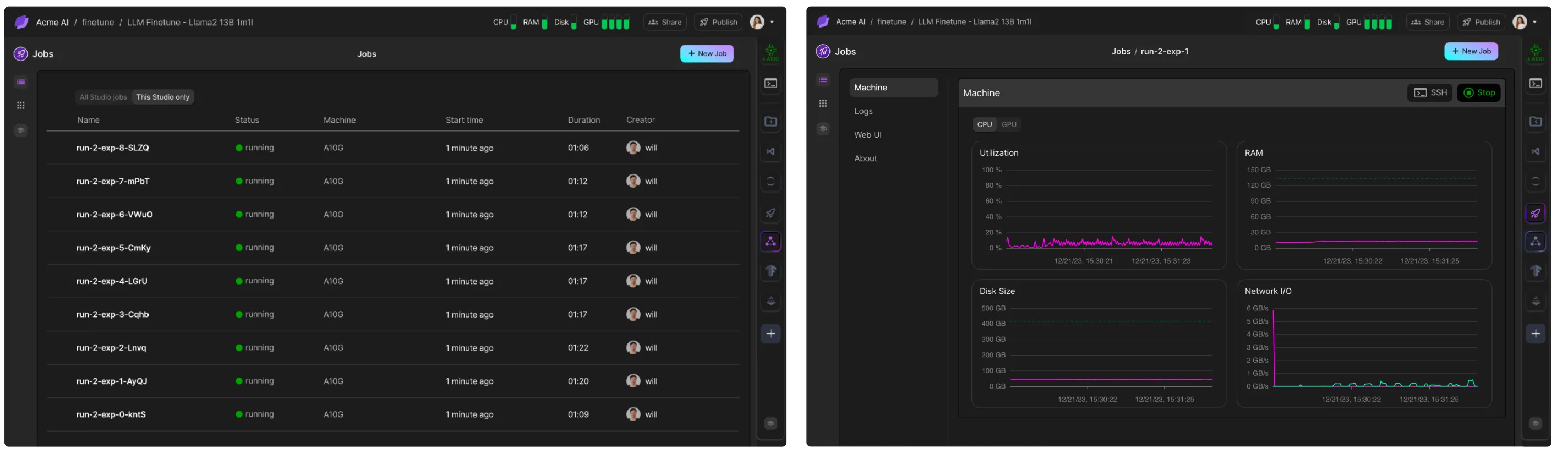
For more details, check out the full hyperparameter sweep tutorial.
Multiple Machines
Running a minimal example that prints "Hello World" on multiple machines:
from lightning_sdk import Studio, Machine, MMT

# Initialize Studio and ensure the Jobs plugin is installed
studio = Studio(name='my-studio', teamspace='my-teamspace', user='my-user')

# Submit the job
submitted_job = MMT.run(command="echo Hello, Lightning!", name="echo-example", machine=Machine.CPU, num_machines=5, studio=studio)

print(f"Job submitted: {job_response}")
Was this page helpful?
Thanks for the feedback.